This article is for informational purposes only. Users should exercise caution and consult qualified professionals before using any tools or software mentioned. Use the unlocking/flashing software only on your own devices.
What Is Advance Turbo Flasher (ATF) & What Does It Do?
Advance Turbo Flasher (ATF) is a professional software and hardware tool widely used for flashing, unlocking, and repairing mobile phones. It is developed by Advance-Box and is known for its reliability, user-friendly interface, and regular updates to support new phone models and firmware versions.
Main Functions:
- Flash stock or custom firmware on various mobile phone models.
- Unlock network SIM locks on various phone models using calculated codes or the RPL method, supporting different security levels, including SL1, SL2, and some SL3 phones.
- Repair software issues, dead phones, or bricked phones by reinstalling their operating system.
- Extract multimedia files, contacts, and other data from phone flash dumps, and supports editing factory settings.
- It also features additional functions, including standalone repair options, brute force unlock for specific phones, and detailed server-authorized operations.
Among users, flashing firmware and unlocking phones are the most commonly used functions due to their critical roles in phone repair and servicing.
ATF Safety, Device Support, and Pricing Overview
Is it safe to use ATF?
ATF is generally considered safe to use when downloaded from reliable sources and used properly. However, misuse, such as flashing incorrect firmware or using unofficial cracked versions, can cause phone damage or security risks.
Here are some key safety considerations:
- Download Advance Turbo Flasher only from trusted, official sources to avoid malware or corrupted versions.
- Ensure you use the correct firmware for your specific phone model to prevent bricking.
- Follow all setup and unlocking procedures carefully, including backing up data where possible.
- Use the necessary hardware, such as the official Advance Turbo Flasher Box/dongle, to maintain connection stability and safety.
What devices does ATF support?
It supports a wide range of mobile devices, particularly Nokia phones, including the Nokia Lumia series, Nokia BB5 phones, and the Nokia Asha series, among others.
- Nokia
- Samsung
- Sony Ericsson
- LG
- HTC
Is Advance Turbo Flasher free?
ATF is not free software. It is a paid tool with prices typically ranging from $60 to $150, depending on the version and vendor. It requires purchasing the software license and often the accompanying hardware box/dongle for full functionality. It is recommended to purchase from reputable sources to avoid scams and counterfeit versions.
If you are looking for a more affordable option, EaseUS MobiUnlock for Android is a budget-friendly choice for unlocking Android devices or bypassing FRP locks. You can enjoy full functionality with a yearly license for around $39.95. It offers a 30-day money-back guarantee and 24/7 support, allowing you to contact the technical team at any time for assistance with any issue.
How to Download and Use Advance Turbo Flasher [Latest Version]
Use of the software and hardware requires technical knowledge and caution. Improper use, such as flashing incorrect firmware or unauthorized unlocking, may damage your device or void its warranty.
Free Download:
The latest version is v12.70, which you can download from the Android File Host or the GSM website:
| Site |
Version |
Ads |
Note |
| https://www.gsmofficial.com/atf-box/ |
v12.70, v12.60 |
Less ads on the page; pop-up windows |
Both websites use mirror links to download the ZIP file to your computer, which may expose your device to risks. Please be careful. |
| https://androidfilehost.com/?fid=2188818919693774115 |
v12.70 |
More ads on the page; pop-up windows |
Requirements:
- Requires a Windows computer (Windows XP and later) with a free USB port to connect the ATF hardware.
- Needs a licensed copy for full access to features.
- ATF requires phones to be connectable via the ATF hardware box or dongle for unlocking.
- Software updates and an internet connection are required to access the latest firmware and unlock codes.
- Back up all important data since flashing will erase your phone's memory.
How to Use:
Here's how to use Advance Turbo Flasher to unlock Android phones. We do not encourage any illegal actions. Please use this tool only on your own devices or the device you have explicit permission to unlock or flash. Moreover, it has the potential risk of bricking your phone or causing data loss. Back up your data first and process at your own risk.
Step 1. Get the ATF Tool from authorized sources. The package includes the installation file and necessary USB drivers.
Step 2. Extract and run the setup file to install ATF on your Windows PC.
Step 3. Install the USB drivers included in the package to allow your PC to communicate with supported phones.
Step 4. Connect your phone in flash mode using the official ATF box or dongle.
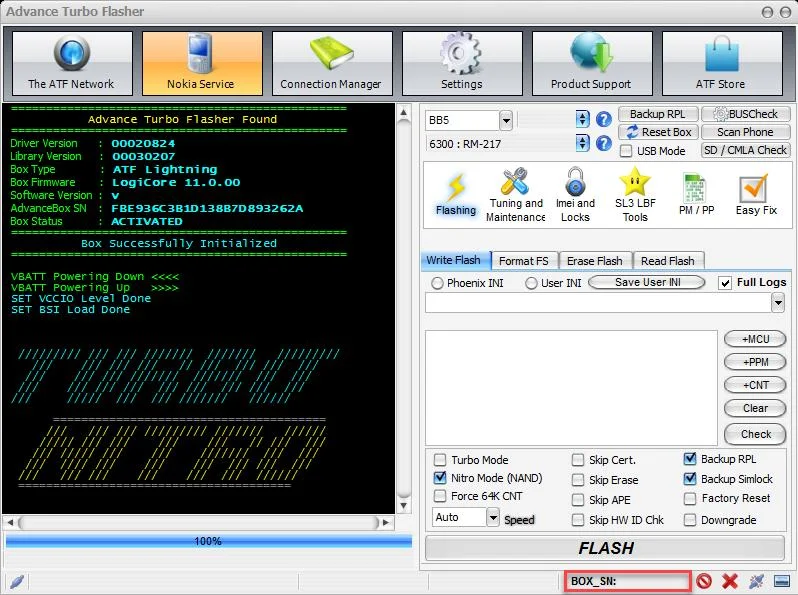
Step 5. Open the ATF software, select your device platform (BB5, MeeGo, MediaTek, NXPlatform), and load the correct firmware file for your phone model.
Step 6. Flash or unlock your device.
- To Flash: Go to the Flashing tab, load the correct firmware file for your phone model, and click the FLASH button to start installing or repairing the firmware.
- To Unlock: Switch to the IMEI and Locks tab, and connect your phone in test mode. Follow the on-screen instructions to proceed.
Step 7. Wait for the flashing/unlocking to finish, then safely disconnect your device. Your phone should reboot with refreshed firmware or an unlocked status.
![atf.png]()
Pros & Cons of ATF Unlock Tool
| Pros |
Cons |
- Supports a wide range of mobile brands and models, including Nokia, Samsung, HTC, LG, and Sony Ericsson.
- Offers multiple functionalities, such as firmware flashing, SIM unlocking, and software repair.
|
- It is paid software; a license and a hardware box/dongle purchase are required.
- Not universally compatible with all Android models or firmware versions.
- Setup is not friendly to beginners, as it requires the installation of USB drivers and software configuration.
|
Unlock Any Android Phone Even with Latest Android Version
As mentioned above, the Advance Turbo Flasher is not compatible with all Android models. If it is not compatible with your phone or you encounter internet connection issues, there is an alternative to ATF — EaseUS MobiUnlock for Android.
Unlike ATF, which is primarily a professional flashing and unlocking tool requiring specialized hardware, EaseUS MobiUnlock offers a user-friendly software solution suitable for general users who need to unlock their own devices without technical knowledge.
EaseUS MobiUnlock supports numerous Android brands and models, such as Samsung, Nokia, Motorola, LG, Xiaomi, Huawei, etc. Moreover, it works well on both old and new Android versions. It supports the latest Android OS, like Android 15/16.
It emphasizes safety and data protection during the unlocking process. While ATF excels in deep firmware flashing and extensive device servicing, EaseUS MobiUnlock stands out for its ease of use and accessibility for unlocking purposes on personal devices.
Here's how to unlock screen locks, including patterns, PINs, passcodes, Touch ID, and Face ID from your Android phone or tablet.
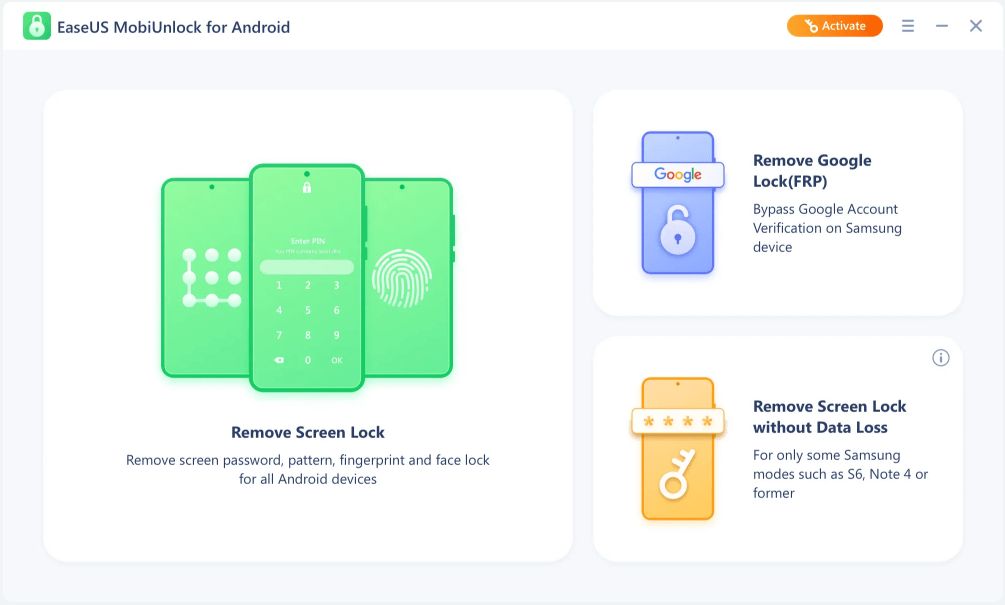
Step 1. Launch EaseUS MobiUnlock for Android. To unlock phone without password, PIN, or Pattern Lock, choose Remove Screen Lock.
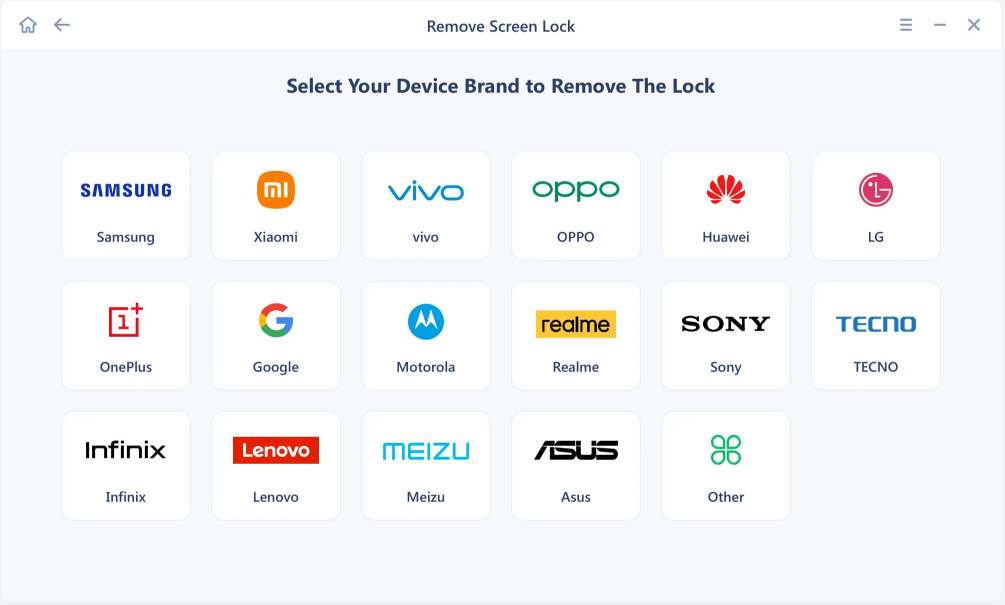
Step 2. EaseUS MobiUnlock supports a wide range of Android phone. Choose your phone brand from the interface. Since the unlocking procedure varies according to the brand, just follow the onscreen instructions to unlock the Android phone.
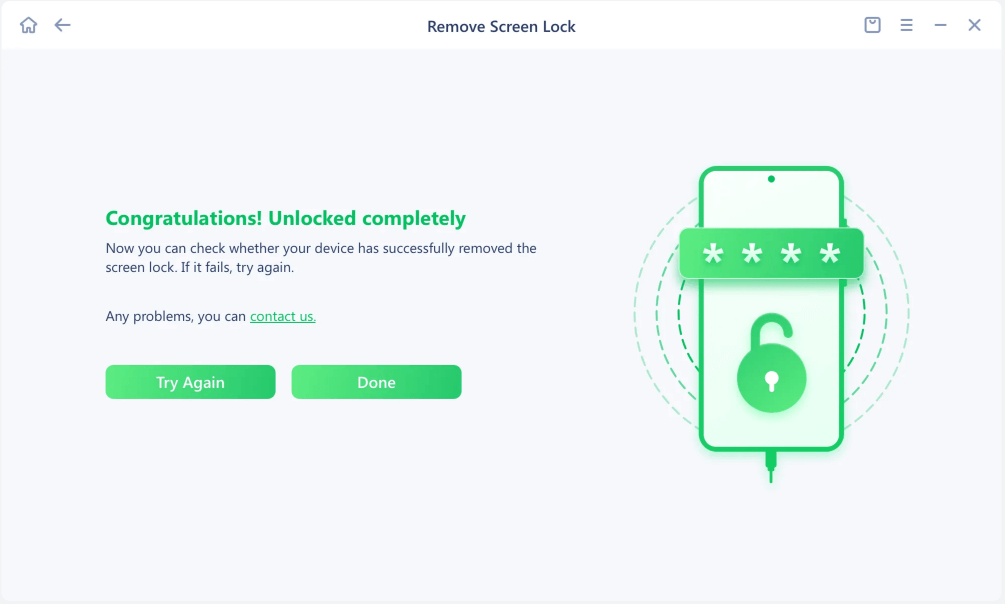
Step 3. After following the step-by-step guide, you can unlock Android phone without password, PIN, or patter lock successfully.
Conclusion
Advance Turbo Flasher (ATF) is a powerful and professional tool widely used for flashing, unlocking, and repairing a broad range of mobile devices, especially Nokia phones. However, it requires technical knowledge, the purchase of hardware, and caution to prevent damage to devices.
For users seeking a simpler, software-only solution to unlock Android phones, even those with the latest OS versions, EaseUS MobiUnlock offers an accessible alternative with a user-friendly interface and a high success rate.
Choosing the right tool depends on your technical skill level, device type, and unlocking needs. Always prioritize using such tools responsibly and only on devices you own to ensure safety and legal compliance.
FAQs Related to Advance Turbo Flasher
Why does ATF show a "Cannot find FTD2XX.dll" error?
This error usually means the required USB driver for the ATF box is missing or not installed properly. Reinstall the driver from the official package.
Why is the Advance Turbo Flasher not recognizing my phone?
This usually happens because the required USB drivers are missing or not installed correctly, or there is a bad USB connection.
To fix this, reinstall the ATF drivers, use a good USB cable and port, and verify your device is supported by ATF. Also, make sure the ATF hardware box/dongle is properly connected and recognized by your PC.
Why is the flashing process stuck or extremely slow?
This could be due to using incorrect firmware, a poor-quality USB cable or port, or an unstable connection. Try different cables/ports and verify firmware compatibility.





 NEW
NEW HOT
HOT
