Looking for the best phone unlocking software to remove screen locks on Android? Whether you've forgotten your password, bought a second-hand device, or need a software to unlock Android phone for PC or Mac, this guide reviews 7 top-rated tools — including free and premium options — to help you regain access effortlessly.
| Software |
Pricing
|
Compatibility |
Learn More |
| EaseUS MobiUnlock for Android |
$39.95/year |
for PC & Mac |
Details |
| ADB (Android Debug Bridge) |
100% free |
for PC & Mac |
Details |
| NokiaFREE Unlock Calculator |
100% free |
for PC & Mac |
Details |
| WonderShare Dr.Fone |
$24.95/month |
for PC |
Details |
| iMyFone LockWiper |
$29.99/month |
for PC & Mac |
Details |
| PassFab Android Unlocker |
$24.95/month |
for PC & Mac |
Details |
| Tenorshare 4uKey for Android |
$22.95/month |
for PC & Mac |
Details |
#1. EaseUS MobiUnlock for Android - Best Phone Unlocking Software for PC
- Pricing: Free trial available; full version starts at $39.95/year.
- TrustScore: 4.8 ★★★★★
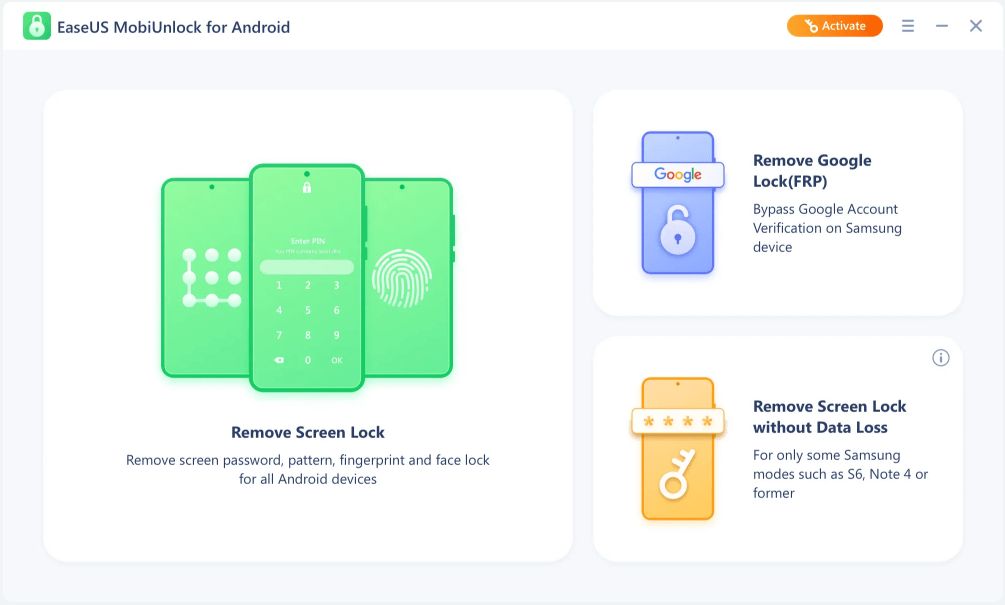
EaseUS MobiUnlock for Android is a phone unlocking tool that supports removing various types of screen locks, such as 4-digit PIN, 6-digit PIN, custom PIN, password, pattern, fingerprint ID, face recognition, etc. It supports nearly 20,000 phone and tablet brands, covering nearly all major manufacturers such as Samsung, Xiaomi, Huawei, OPPO, Vivo, and more.
![EaseUS MobiUnlock for Android]()
What sets this tool apart is its ability to unlock some Samsung and LG phones without data loss, which is rare among Android unlocking software. Aside from great features, EaseUS MobiUnlock also boasts excellent customer service - it offers 24/7 support and a money-back guarantee. Thus, you can find your money back if you find it useless.
✅ Pros:
- Supports almost all Android screen lock types
- Some Samsung/LG devices can be unlocked without data loss
- Beginner-friendly with clear instructions
- 24/7 customer support and refund guarantee
❌ Cons:
- Not completely free (trial available, full features require license)
#2. ADB (Android Debug Bridge) - Free Phone Unlocking Software
- Pricing: 100% free and open-source.
ADB (Android Debug Bridge) is a free, command-line tool provided by Google that lets you communicate with your Android device from a PC. If USB debugging was enabled before your device was locked, ADB offers a way to bypass the screen lock without losing data.
Though it’s more technical than other tools, it's a 100% free phone unlocking solution and doesn't require any third-party software.
🔧 How to unlock Android phone using ADB:
- Download and install ADB on your PC.
- Connect your locked Android phone via USB.
- Open a command prompt in the ADB directory.
- Run the following command: adb shell rm /data/system/gesture.key
- Restart your device, and the lock screen should be removed temporarily.
Note:
- This only works if USB debugging is enabled on the device.
- It's best suited for developers or advanced users.
✅ Pros:
- 100% free and official
- No need to install third-party software
- Unlock phone without losing data
❌ Cons:
- Doesn't work if USB debugging is not enabled
- Requires some technical knowledge
- Not for beginners
#3. NokiaFREE Unlock Code Calculator – Best Free SIM Unlocking Software for Old Phones
- Pricing: Completely free, no subscription required.
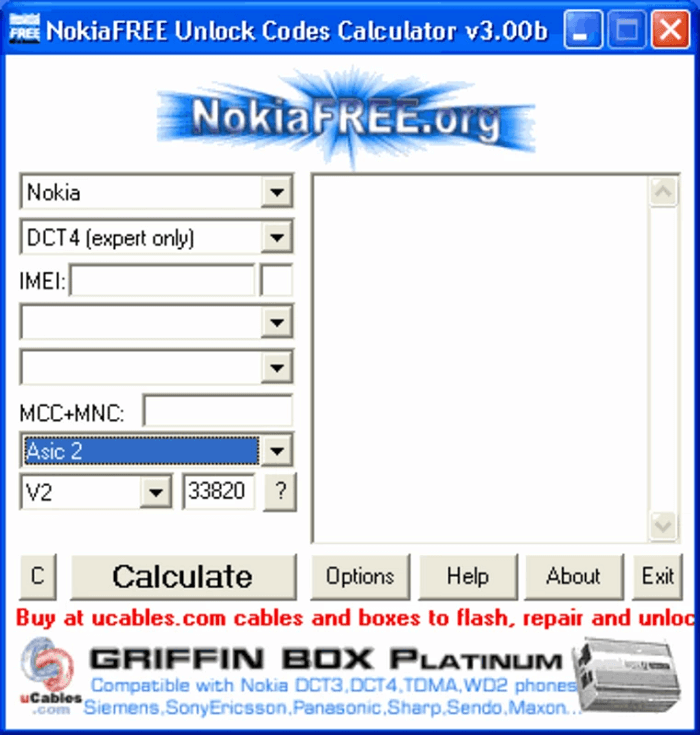
NokiaFREE Unlock Code Calculator, as its name implies, is a phone unlocker for Nokia devices. But it works on Samsung, Sony, LG, and other Android phones. You can use it to remove the service limitation on your device, thus accessing any other network you want. It is simple and easy to use. All you need is to provide the IMEI number, your country, and your mobile service provider. Then, you can choose one of the generated codes and types them on your phone.
![NikiaFree Unlock Code Calculator]()
✅ Pros:
- Completely free to use
- Works with some Nokia, Samsung, Sony, LG devices
- Only requires IMEI, country, and carrier info
❌ Cons:
- Only works on older feature phones or early smartphones
- Not compatible with modern Android devices
- Interface outdated and no longer maintained
#4. WonderShare Dr. Fone – Best for Bypassing Samsung FRP Lock
- Pricing: Free trial available; paid plans start from $24.95/month.
- TrustScore: 3.9 ★★★
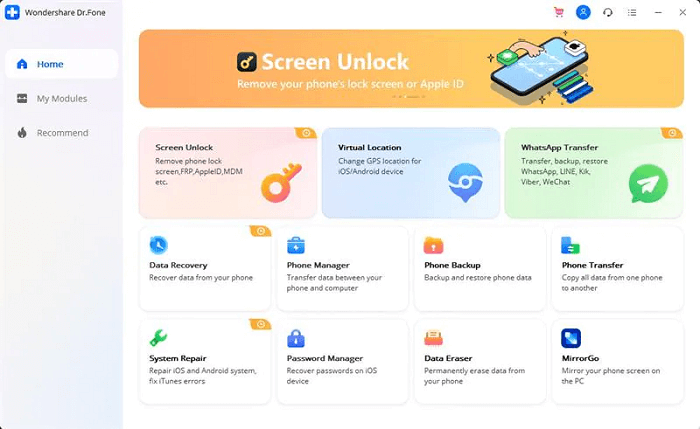
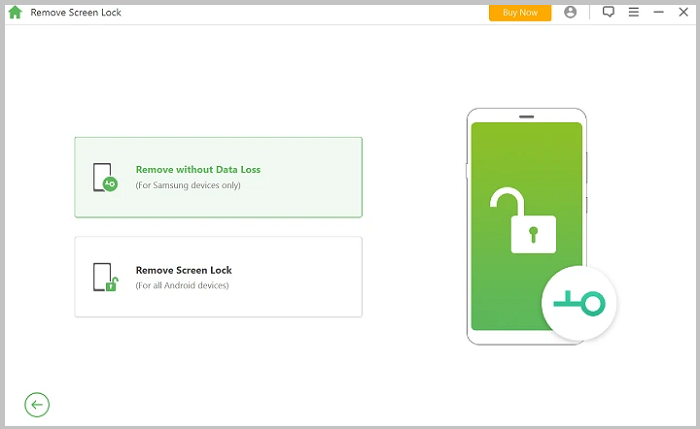
Screen Lock for Android is another recommendation for Android lock screen removal tools. Like iMobie's DroidKit, it is a one-in-all unlocking program that can help you remove 4 screen lock types, including pattern, PIN, password, and fingerprints. Asides from that, it also allows you to bypass the Samsung FRP lock without a PIN or Google account. As for the part of Samsung and LG phones, it can unlock the phone screen without data loss.
No tech knowledge is required. Everyone can use it to unlock his device with ease. You can download this on your computer and try it if you need it!
![Screen Lock from Dr.Fone]()
✅ Pros:
- Supports major Android brands and lock types
- Can bypass Samsung FRP
- No data loss on Samsung/LG in many cases
- Intuitive interface for all users
❌ Cons:
- Premium software (free trial is limited)
- Unlock process can be slow on some devices
#5. iMyFone LockWiper – Best Lightweight Android Unlocker
- Pricing: Free trial available; full version starts at $29.99/month.
- TrustScore: 4.7 ★★★★
If you're looking for a simple Android unlocker tool, LockWiper from iMyFone is definitely what you need. It is an extremely easy-to-use unlocker tool with only two functions: remove the Google lock and the screen lock. Currently, the screen lock types it supports include password, pattern, PIN, fingerprint, and face lock.
![iMyFone LockWiper]()
Moreover, it offers a trial version that enables you to try it before purchasing. You'll need to upgrade to its Premium plan to enjoy all advanced features.
✅ Pros:
- Extremely simple to use
- Focused only on screen lock and Google lock
- Offers a trial version to test
❌ Cons:
- Fewer features compared to all-in-one tools
- May not support advanced FRP unlocking on some devices
#6. PassFab Android Unlocker – Best for Unlocking Multiple Android Brands
- Pricing: Free trial available; paid version starts at $24.95/month.
- TrustScore: 3.9 ★★★
PassFab Android Unlocker is another unlock software that can remove the Android phone lock screen and Samsung FRP lock. The screen lock types include PIN, pattern, and password. It supports 99% of Android brands, including Samsung, Google, Motorola, LG, HTC, HUAWEI, Xiaomi, etc. Apart from that, it offers a 30-days money-back guarantee and online tech support. Thus, you can ask tech support for help if you have any problems while using it.
![PassFab Android Unlocker]()
✅ Pros:
- Supports 99% of Android brands
- Removes screen lock and Samsung FRP
- Offers a 30-day money-back guarantee
- Helpful customer support
❌ Cons:
- Paid software (free version limited)
- May cause data loss on some devices
#7. Tenorshare 4uKey for Android – Best for Unlocking Fingerprint & Face Locks
- Pricing: Free trial available; starts at $22.95/month for full version.
- TrustScore: 4.3 ★★★★
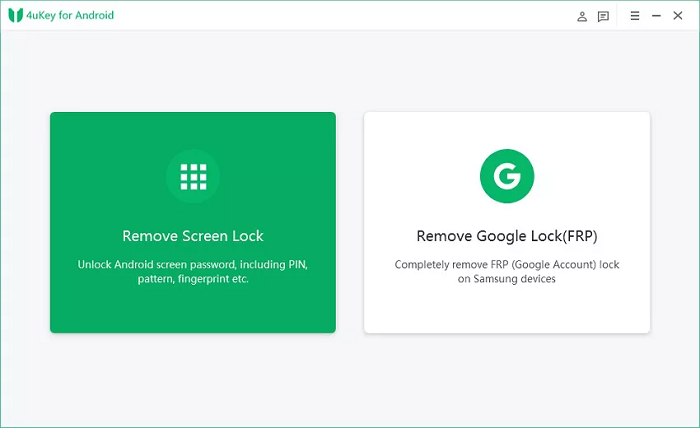
Tenorshare 4uKey for Android is our last recommendation on the best Android unlocking software list. It can help you remove Android passwords, patterns, fingerprints, and face locks. Also, you can use it for Samsung FRP removal without a password. As for some older Samsung devices, it even won't cause any data loss while unlocking. If this is what you want, don't hesitate to try it.
![Tenorshare 4uKey for Android]()
✅ Pros:
- Supports all major lock types including Face ID and fingerprints
- Can remove Samsung FRP without password
- Older Samsung devices may be unlocked without data loss
❌ Cons:
- Paid license required for full access
- FRP support limited to Samsung devices only
Criteria of the Best Android Lock Screen Removal Tool
We've talked about the importance of an Android lock screen removal tool. But do you know how to choose the best tool for removing the Android screen lock? According to an Android expert, an excellent Android lock screen removal tool should meet the following criteria.
- Supports various screen locks like PIN, pattern, password, and fingerprint.
- Supports most Android brands.
- Has a set of advanced unlocking tools.
- 100% safe and green without viruses.
- Has a money-back guarantee.
- Easy for a beginner to use.
Based on these criteria, we selected the top 7 best Android unlocking tools for lock screen removal. They have similar functions but are different in some specific features. You can explore them individually and select the one you prefer to use.
In Conclusion
Hope the tools provided in this guide will help unlock your Android phone. You can select the one you wish to use. If you have better recommendations, you can also tell us, and we will share them with more users.
Frequently Asked Questions About Phone Unlocking Software
If you want to learn more about phone unlocking software, the below FAQ might be helpful.
1. What is the best phone unlocking software for Android?
Choosing the best software to unlock phones is easy if you select one based on the criteria outlined above and your requirements. If you still have no idea which is the best, you can check its reviews and ranks on Trustpilot or Techradar. Many users explained their experience on those platforms, and you can refer to their reviews and comments.
2. What software is used to SIM unlock phones?
There are many third-party tools you can use to unlock your SIM on your Android phone. Some good options include DoctorSIM, Unlock Base, CellUnlocker.Net, GalaxSim Unlock, and more. Most of these services offer a permanent unlock solution, support carriers in most countries, and work on most Android devices.
3. How to unlock phone network for free without software?
YES, you can. You can contact your network provider to unlock it for you. But to do this, you will need to provide information like your IMEI number. Specifically, you can:
Step 1. Contact your carrier via live chat or phone and tell them your purpose.
Step 2. Provide them with your IMEI number if they ask.
Step 3. They will submit your request for an unlock code after confirming your information.
Step 4. Insert your new SIM card after inputting the unlock code.
Step 5. Then, you can use the new network.






 NEW
NEW HOT
HOT
