🎙️Quick Answer:
MediaTek (MTK) Universal Tool is a third-party utility designed for unlocking and servicing MediaTek-based Android devices. It is commonly used for FRP bypass and basic repair tasks.
❇️ Mediatek Universal Tool v2 Free Download: https://androidfilehost.com/?fid=4279422670115715135
❇️ Mediatek Universal Tool Not Working: It often fails to detect devices or complete FRP bypass on newer Android versions, unsupported chipsets, or incompatible Windows systems (such as 32-bit).
❇️ Mediatek Universal Tool Alternative: For users who want a safer and more beginner-friendly way to bypass Samsung FRP, professional tools like EaseUS MobiUnlock for Android are generally more reliable than unofficial MTK utilities.
🚨Disclaimer: This article is for educational and informational purposes only. MediaTek Universal Tool and similar software should only be used on devices you legally own or have explicit authorization to service. Bypassing FRP or device security protections without permission may violate local laws and platform policies.
What Is MediaTek Universal Tool
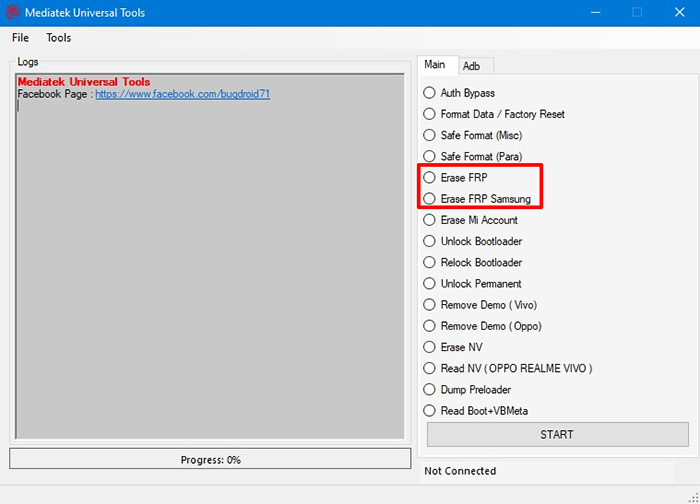
MediaTek Universal Tool is a non-official Android service tool created by third-party developers. It is mainly used to perform unlocking and maintenance operations on smartphones powered by MediaTek (MTK) chipsets.
Unlike official MediaTek utilities such as SP Flash Tool, MTK Universal Tool focuses more on bypassing security restrictions rather than standard firmware flashing or diagnostics.
![mediatek universal tool]()
What Can MediaTek Universal Tool Do? Depending on the version, MediaTek Universal Tool may offer some or all of the following features:
- FRP Bypass: Remove Google account verification after a factory reset on some MTK devices.
- Screen Lock Removal: Attempt to remove PIN, pattern, or password locks (success varies by model and Android version).
- MTK Authentication Bypass: Disable SLA / DAA authentication to allow flashing or partition access.
- Partition Read/Write: Read or modify certain system partitions using BootROM or Preloader mode.
- Basic Device Information Reading: Display chipset, Android version, and connection status.
Is MediaTek Universal Tool Official and Safe
Is it official? No. MediaTek Universal Tool is not developed, endorsed, or distributed by MediaTek. MediaTek does not provide or maintain any tool under this name.
Is it safe? Safety is one of the biggest concerns:
- No official website or verified publisher
- Often distributed via forums, Telegram groups, or file-sharing sites
- Many versions are modified or labeled as “cracked”
- Antivirus software frequently flags these tools for suspicious behavior
- Incorrect operations may cause:
- System corruption
- Boot loops
- Permanent device bricking
⚠️ Legal considerations: Bypassing FRP or device security may violate local laws or Google’s policies, especially if the device is not legally owned.
MediaTek Universal Tool Download for PC
Is there an official download? No. There is no official MediaTek Universal Tool download page. Most users find it through YouTube video descriptions, Android repair forums, Telegram channels, and tech blogs.
⬇️Secure & Free Download MediaTek Universal Tool V2.0 (latest version): https://androidfilehost.com/?fid=4279422670115715135
- Compatibilty: Win 7/8/10/11 (64 bit)
- Avilibility: Android 6–10
- Support for FRP Bypass: Samsung, Motorola, LG, Xiaomi, OPPO
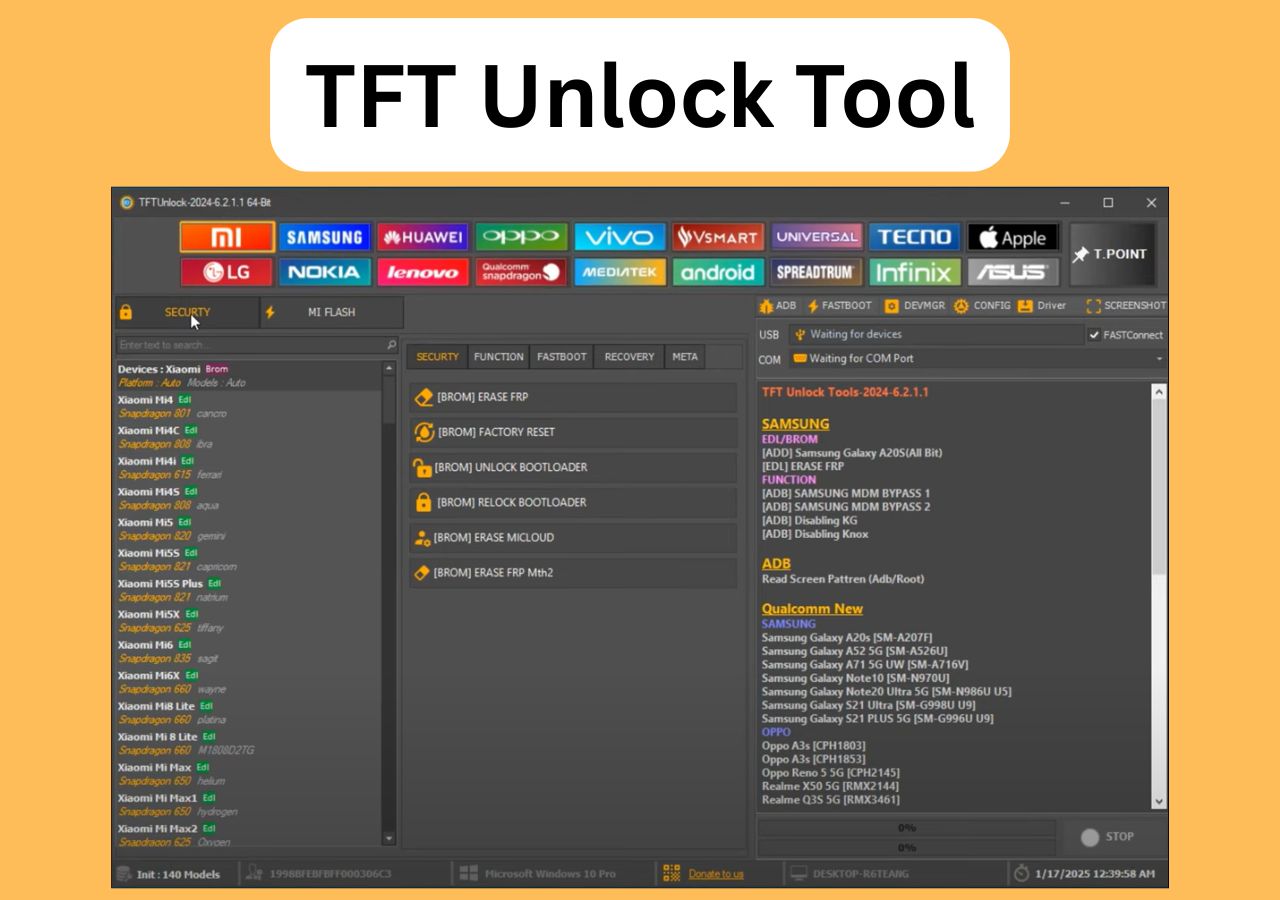
For more FRP bypass tools, check the following:
MediaTek Universal Tool Not Working
Sometimes MediaTek Universal Tool looks like it is working but actually does nothing: after you click Format / Start, it immediately shows “Progress Complete” without any “Waiting for device/USB”, and the phone stays unchanged. This behavior is typically seen on 32‑bit Windows systems, even when the required drivers are already installed.
The root cause is system incompatibility, because this tool build is designed for 64‑bit Windows (Windows 10/11 64‑bit). To fix the problem, install a 64‑bit Windows OS and then reinstall the correct MediaTek USB/BROM drivers and USB DK drivers; after that, the tool will properly show “Waiting for device”, detect the device in BROM mode, and complete the format or unlock process as expected.
MediaTek Universal Tool Alternative (Better for Beginners)
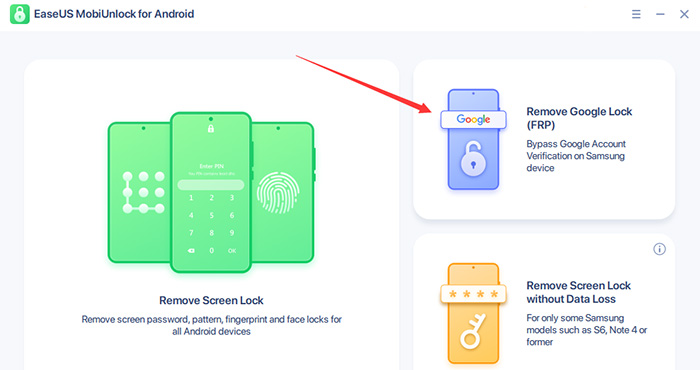
If your goal is to unlock a Samsung FRP Lock or Android screen lock safely, MediaTek Universal Tool may not be the best choice—especially for beginners. EaseUS MobiUnlock for Android is developed by a well-known software company and focuses on safe, guided Samsung FRP bypass workflows.
![easeus mobiunlock screenshot]()
❇️ Key Advantages:
- Designed specifically for Samsung FRP bypass scenarios
- Higher success rate on newer Samsung models
- No risky exploit or unofficial firmware required
- Trusted software with clear device compatibility
- Suitable for users who want results without technical complexity
🆚 MediaTek Universal Tool vs EaseUS MobiUnlock
| Feature |
MediaTek Universal Tool |
EaseUS MobiUnlock |
| Official Developer |
❌ No |
✅ Yes |
| Ease of use |
❌ Complex |
✅ Beginner-friendly |
| Support & updates |
❌ None |
✅ Regular updates |
FAQ
1. Is MediaTek Universal Tool free?
Yes, most versions are free, but they often come with security and stability risks.
2. Does MediaTek Universal Tool work on Android 13 or 14?
In most cases, no. Newer Android versions significantly limit its effectiveness.
3. Can MediaTek Universal Tool bypass FRP on Samsung devices?
Only on some Samsung models that use MediaTek chipsets, and success is not guaranteed.
4. Which is safer: MediaTek Universal Tool or EaseUS MobiUnlock for Android?
EaseUS MobiUnlock for Android is generally safer and more suitable for non-technical users.






 NEW
NEW HOT
HOT
