🚨Important Note: FRP bypass should only be performed on devices you own or have explicit permission to repair. Unauthorized removal of FRP lock may violate regional laws and device security policies.
Chimera Tool Overview:
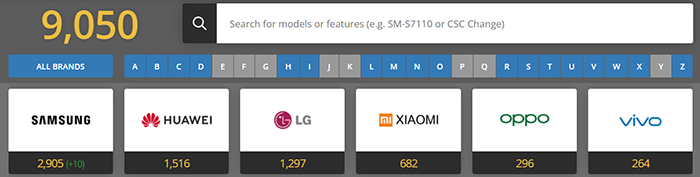
❇️Supported Devices: 9050 in total, a wide range of Android smartphones and tablets.
❇️Download Chimera Tool (Latest Version): https://chimeratool.com/downloads/latest
❇️Chimera Tool Price: Basic ($99.9) / Professional ($149.9)/ Premium ($189.9) (All subscriptions include free Samsung FRP bypass with no credits required.)
❇️Chimera Tool Alternative (Cheaper): MobiUnlock ($39.99/mo.), which offers a simple GUI and doesn't require credits.👍
What Is the Chimera Tool
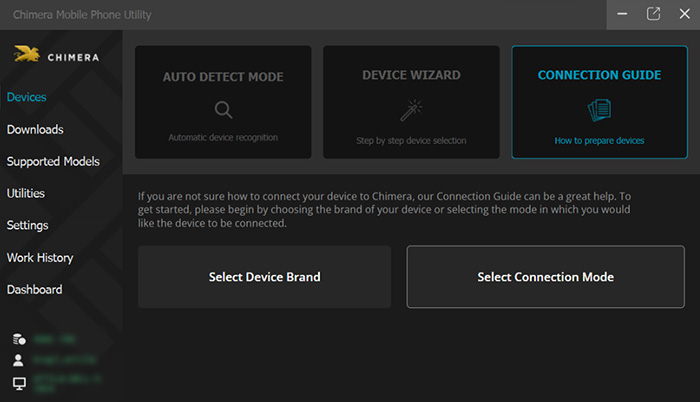
Chimera Tool is a professional mobile repair software widely used by technicians and service centers to diagnose, unlock, and fix Android smartphones. It provides a full suite of advanced functions such as FRP bypass, network unlocking, IMEI repair, firmware flashing, device rooting, and system recovery. Unlike simple consumer tools, Chimera FRP tool operates directly at a low level using manufacturer-specific protocols, giving it the ability to perform actions that standard apps or ADB commands cannot achieve.
![Chimera homepage]()
The tool is mainly designed for trained technicians who need reliable, server-based solutions for Samsung, Huawei, Xiaomi, and many other brands. Chimera FRP unlock tool requires a paid subscription and an active internet connection to access its modules, download firmware files, and complete device operations.
➤ Core Features of Chimera Tool
- FRP (Factory Reset Protection) Bypass: Remove Google account lock from supported Android models.
- Network Unlocking: Unlock carrier restrictions and switch SIM cards freely.
- IMEI Repair & Calibration (Legal Use Only): Fix corrupted IMEI, restore baseband, or repair modem issues.
- Firmware Flashing & Update: Flash stock ROMs, repair boot loops, or downgrade the firmware.
- Samsung EDL/Download Mode Repair: Fix devices stuck in download mode or unable to boot properly.
➤ Chimera Tool Supported Devices
Chimera Tool supports a wide range of Android brands (about 9050 models). While specific functions vary by model, it generally supports Samsung, Xiaomi / Redmi / Poco, Huawei / Honor, LG, Motorola, Oppo / Realme / Vivo, Lenovo, Alcatel, Nokia, Meizu, and others.
![Chimera supports 9050 device models]()
Chimera Tool continuously updates its database, so supported devices expand regularly with new firmware versions and additional operations.
➤ How to Use the Chimera Tool for FRP Bypass
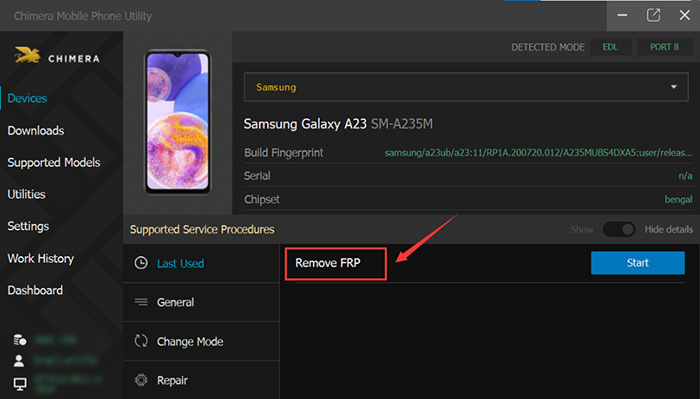
![use Chimera for Samsung FRP bypass]()
Step 1. Connect your device and select FRP reset
- Launch Chimera on your computer and connect the locked device to your PC via USB.
- In Chimera, click "FRP/SCREEN LOCK" > "Reset FRP Lock"
Step 2. Enter the test mode
- On your locked phone, tap "emergency call" on the bottom-left corner and enter "*#0*" to enter the test mode.
- Then Click "OK" in Chimera.
Step 3. Enable debugging and start reset FRP
- On your phone, tap "agree" to enable USB debugging. Wait a few minutes, it will finish successfully.
- Your phone will restart. Go to Settings and perform a factory reset to complete the FRP reset.
If you prefer a video tutorial, refer to the video guide below:
Download the Chimera Tool the Latest Version
Use a stable internet connection to avoid interruption during operations. Then follow the instructions below.
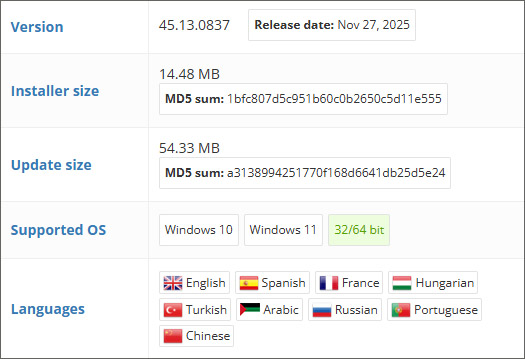
➤ Compatibility: Only Available on Windows 11/10
Chimera Tool is available exclusively as a Windows desktop application, available on Windows 10/11, and there is currently no Mac and mobile version. Because the software performs low-level repair functions that require specific USB drivers and Windows-based services, all official operations—including FRP bypass, flashing, and IMEI repair—must be done on a Windows PC. APK is too simple to perform such a complex task.
Note: To use Chimera FRP Tool on a Mac, users must install Windows via Boot Camp or a virtual machine, but performance and stability may vary.
➤ Download the Latest Version on Windows
Chimera Tool should always be downloaded from its official website to avoid modified or infected installers. The official download page includes all supported packages and the latest stable release.
![download chimera the latest version]()
Avoid downloading Chimera Tool from third-party sites, crack pages, or unverified forums, as these often contain malware or unusable offline versions that cannot communicate with Chimera's servers.
➤ Login & Activation Requirements
You must create a Chimera account before using any tool features. Login requires an Email address and a password. After logging in for the first time, Chimera will synchronize your subscription, credits, and device modules.
Login & Password Notes:
- Chimera Tool does not work without logging in—offline mode is not supported.
- Password recovery is available via the official website if you forget your login details.
- Paid operations require either a subscription or credits, which are linked to your Chimera account.
- If you see prompts like "Invalid username or password", it usually means wrong login credentials, subscription expired, or the server requires re-authentication.
Chimera Tool Price & How to Choose a Licence
Chimera Tool is a paid professional software, and its pricing system is based on two components:
- Annual Licenses (subscriptions)
- Credits (used per operation)
Most popular features (such as FRP bypass, network unlock, IMEI repair, and firmware flashing) require no credit once you have paid for an active license. This dual system allows technicians to purchase only what they need, depending on the volume and type of devices they repair.
➤ Chimera Tool Subscription Plans
Chimera Tool currently offers three main annual licence types (Basic, Professional, Premium) plus pay‑per‑use credits, each with different limits and prices in USD. The table below summarizes the core pricing information from the official site.
| Licence Type |
Phone Connections |
Bonus for Renew |
Price |
Best for |
| Basic license |
Up to 100 |
0 credit |
$99.9/yr |
🔹Individuals / low-volume repair
🔹Not compatible with USB Authenticator.
|
| Professional licence |
Up to 1500 |
100 credits |
$149.9/yr |
🔹Small to medium shops (up to ~1,500 phones/yr).
🔹USB Authenticator supported.
|
| Premium licence |
Up to 5000 |
150 credits |
$189.9/yr |
🔹Large businesses / high-volume repair centers; includes priority support and larger loyalty bonuses.
🔹USB Authenticator supported.
|
➤ What Is Free with a Chimera Tool Subscription?
Once you activate any paid licence (Basic / Professional / Premium), you can do the following without paying extra credits:
- ☑️Mobile Unlocking
- ☑️IMEI Repair
- ☑️Firmware Flashing
- ☑️FRP Remove (LG excluded)
- ☑️Advanced Software Optimization
- ☑️Regular Software Updates
Common License Activation Issues:
- ''License not found'' → Subscription expired or not linked
- ''Server communication error'' → Weak internet connection
- ''Credit not available'' → Not enough credits for selected operation
➤ Function Packs that Requires Extra Credits
Which functions require extra credits? Function packs (small/medium/large/super) are available separately to top up credits (e.g. $15 → 150 CRD, $35 → 350 CRD, etc.). There are some special paid functions (mainly related to LG and Samsung) inside Chimera that have an extra cost:
- 💰Remove FRP for LG
- 💰Network Factory Reset (online) for Samsung and LG
- 💰Repair IMEI for LG
- 💰Carrier relock for Samsung models
➤ How to Purchase for Samsung/Motorola/Xiaomi/HUAWEI FRP Bypass?
You must have an active subscription (e.g., Basic) to access and run FRP Remove at all. For FRP removal, LG phone requires extra credits, but others like Samsung, Mototrola, OPPO, etc. may be free and included in the subscription.
Is There Chimera Tool Crack or a 1-Day/Free License
The Chimera Tool annual subscription is quite expensive for most ordinary people, and searching for ''Chimera Tool crack,'' ''Chimera Tool free download,'' or patched versions is extremely common, especially for users who want to unlock or repair their own devices once. Many people wonder if there is a 1-day activation, 3-day license, 3-month license, or even a totoally free license trial.
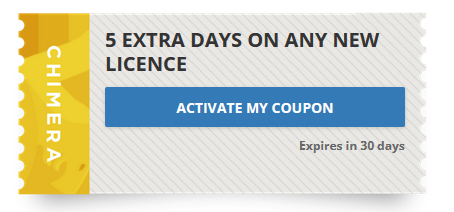
Chimera Tool has occasionally offered coupons and giveaways, which may allow a few users to obtain a free license, discounted license, or free credits, but there is currently no publicly available, stable free trial or short-term license such as 1-day, 3-day, or 3-month.
![chimera coupon]()
🚨Note: Chimera Tool crack is not recommended due to malware, fake installers, modified executables, phishing pages or other possible consequences. Be cautious of websites claiming to offer ''free licenses,'' cracks, or short-term licenses, as these are non-official, high-risk, often ineffective, and may contain malware.
Best Chimera Tool Alternative (Beginner-Friendly & Cheaper Solution)
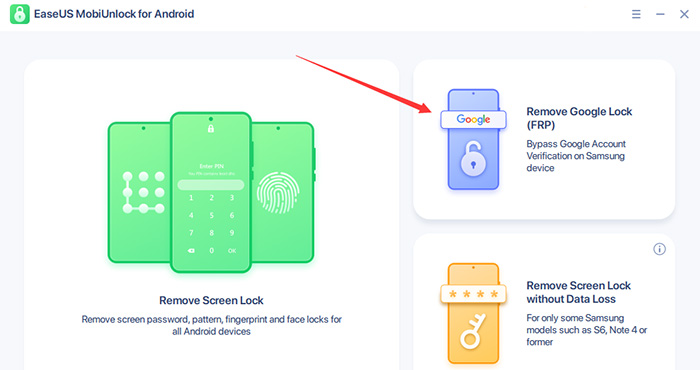
If your primary goal is Samsung FRP bypass, and you don't want to purchase a full annual Chimera Tool license—or deal with the risks of cracks and unofficial ''free'' versions—MobiUnlock for Android is one of the safest and most beginner‑friendly alternatives available.
Unlike Chimera FRP unlock tool, which requires server authentication, credits, and yearly subscriptions, MobiUnlock focuses on straightforward, step‑by‑step Samsung FRP removal that works even for users with zero technical background.
![easeus mobiunlock screenshot]()
➤ Why Choose MobiUnlock for Samsung FRP Bypass?
- No Credits, No Tokens, No Server Restrictions
- Designed Specifically for Samsung FRP Lock (All models and Androids supported)
- Quick, Guided, One-click FRP Bypass Process
- Works Without Complicated Technical Knowledge
- 100% Legal and Safe (No Crack Needed)
➤ Samsung FRP Bypass Comparison: Chimera FRP Tool vs. MobiUnlock
| Feature |
MobiUnlock |
Chimera Tool |
| Pricing |
$39.95/yr; $59.95/lifetime |
$99.9/yr for Basic |
| Platform |
Windows 7/8/10/11 & Mac |
Windows 10/11 only |
| Difficulty |
Easy, beginner-friendly |
Medium–High (professional tool) |
| Free Trial |
Yes (limited) |
No |
This alternative is ideal if you:
- ✔️Only need Samsung FRP bypass
- ✔️Don't want to pay for an entire Chimera annual plan
- ✔️Prefer a simple, safe, no‑credit‑required solution
- ✔️Want to bypass FRP without professional repair knowledge
- ✔️Want a tool that works consistently without server or license restrictions
Conclusion
Chimera Tool is a professional and powerful solution for Android device repairs and FRP bypass, especially for Samsung devices. However, its annual subscription model, server-based credits, and lack of short-term or free trials make it less suitable for users who only need occasional access or a simple Samsung FRP bypass.
For those seeking a safe, beginner-friendly, and credit-free solution, MobiUnlock is the ideal alternative. It allows users to remove Samsung FRP locks quickly, legally, and without technical complications, making it perfect for personal use or small repair tasks.
By choosing the right tool based on your needs, you can avoid risks from unofficial cracks or unsafe downloads and achieve fast, reliable FRP bypass on Samsung devices.
FAQ
1. Can I get a short-term Chimera Tool license for Samsung FRP bypass?
No. Chimera Tool only offers annual paid subscriptions. There are no publicly available 1-day, 3-day, or 3-month licenses. Occasional giveaways exist, but they are rare and not guaranteed.
2. Do I need credits to bypass Samsung FRP with Chimera Tool?
No. Samsung FRP bypass does not require credits as long as you have an active Chimera Tool license. FRP removal is included as a free operation within the subscription, and credits are only needed for certain special or advanced functions that are outside the standard license scope.
3. Is it safe to use Chimera Tool cracks for free access?
No. Cracks are unsafe, often non-functional, and may contain malware. Chimera Tool operations require server authentication, so cracks generally do not work.
4. Can EaseUS MobiUnlock bypass Samsung FRP without credits or a Chimera license?
Yes. EaseUS MobiUnlock is a standalone, legal tool designed specifically for Samsung FRP bypass. It does not require credits, server validation, or professional technical skills. It supports Samsung devices running Android 6–14, covering most models released in recent years.







 NEW
NEW HOT
HOT
