🚨Disclaimer: This article is intended for educational and informational purposes only. FRP bypass methods should only be used on devices you own or have explicit permission to unlock. We do not encourage or support any misuse of the tools mentioned in this guide.
Quick Overview of 6 Motorola FRP Bypass Tools👁️🗨️
Factory Reset Protection (FRP) can lock out legitimate device owners who forget their Google account credentials. In this article, we review the best 6 FRP bypass tools for Motorola devices, providing a full review to help you choose the right solution for educational and informational purposes.
| Tool |
Type |
Key Strength |
Supported Android |
| #1. GSMNeo |
Android APK |
Flexible APK-based bypass |
Android 5–13 |
| #2. FixFirmware APK |
Android APK |
Simple mobile‑only FRP bypass |
Android 6–12 |
| #3. Motoreaper |
PC Software |
High success rate on supported Moto models |
Android 6–11 |
| #4. SamFw |
PC Software |
Stable USB‑based FRP bypass |
Android 5-12 |
| #5. FRPRemoval.com |
Online Remote |
Large library of FRP resources |
Android 6–12 |
| #6. frpbypass.cc |
Online Remote |
Easy access to multiple FRP APKs |
Android 6–12 |
✍️ Before You Begin: Important Safety Notes
- Motorola FRP Bypass can carry certain risks, including data loss, device instability, or exposure to unverified software.
- Always download FRP tools only from trusted and reputable sources to avoid malware or corrupted files.
- Before attempting any bypass process, make sure to back up your device data whenever possible, as some methods may erase settings or trigger a full reset.
#1. GSMNeo FRP Tool for Motorola (APK; without PC)
- 💠Rating: ★★★☆☆
- 💠Android: Up to Android 13
- 💠Model: Nearly all Moto series
- 💠Requirement: in some cases a PC with Windows 7/8/10/11
- 💠Secure Download: https://gsmneofrp.net/en/
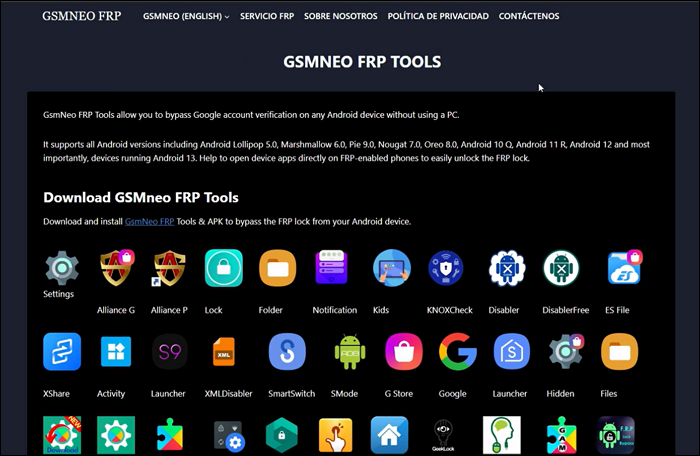
GSMNeo FRP Tool is a Motorola FRP bypass APK without PC designed to help users bypass the Google Factory Reset Protection (FRP) lock on Android devices. When a device has been factory reset and is asking for the previously associated Google account, this tool aims to circumvent that verification procedure. However, its reliability, especially on newer or heavily patched devices, varies and success is not assured.
Key Feature
- Works without needing a PC in many cases (APK version on device).
- Supports a wide range of Android versions (from approx. Android 5 to Android 13) and multiple brands.
- Offers multiple bypass methods and APK tools within the suite for flexibility.
![gsmneo-frp.png]()
Pros
- Free / low cost compared to many professional FRP bypass tools.
- Easy to access via APK and relatively straightforward interface for less technical users.
- Supports older Android versions
Cons
- Compatibility with Motorola devices (and newer Android versions) is not guaranteed
- Lack of formal support or customer service
#2. FixFirmware APK (without PC)
- 💠Rating: ★★★☆☆
- 💠Android: Commonly works on Android 6–12
- 💠Model: Not officially Motorola‑specific
- 💠Requirements: No PC required.
- 💠Secure Download: https://fixfirmware.com/apk/
FixFirmware APK is a lightweight Android app often used in FRP bypass tutorials for Motorola and other Android devices to unlock FRP without PC. Instead of relying on a PC, it provides on-device methods to open YouTube, browser and settings menus, trigger system activities, or access hidden components that help users bypass the Google FRP verification screen. The success rate depends heavily on the phone's security patches and Android version.
Key Feature
- APK‑based FRP bypass — no computer required.
- Small file size and easy installation once access is gained.
- Works with common bypass flows like notification panel, YouTube/Browser exploit, or SIM‑card tricks.
Pros
- 100% mobile-based; ideal when a PC is not available.
- Easy to use once the APK is successfully installed.
- Useful for older Motorola devices with less restrictive security patches.
Cons
- APK side-loading can be difficult because locked phones often block APK downloads and installation.
- Success rate varies dramatically on newer Motorola models (Android 12+).
- A large number of tappings on locked phone; 100% manual operation.
#3. Motoreaper (Software; with Computer)
- 💠Rating: ★★★★☆
- 💠Android: from Android 6 to Android 11
- 💠Model: Primarily designed for Motorola devices, including many Moto G (like Motorola G Pure & Moto G Play), Moto E, Moto Z, and Droid series models (especially older and mid‑range devices).
- 💠Requirements: Windows PC required; USB cable; Motorola USB drivers must be installed; USB debugging or EDL/boot mode access depending on method.
- 💠Secure Download: MotoReaper V5.02
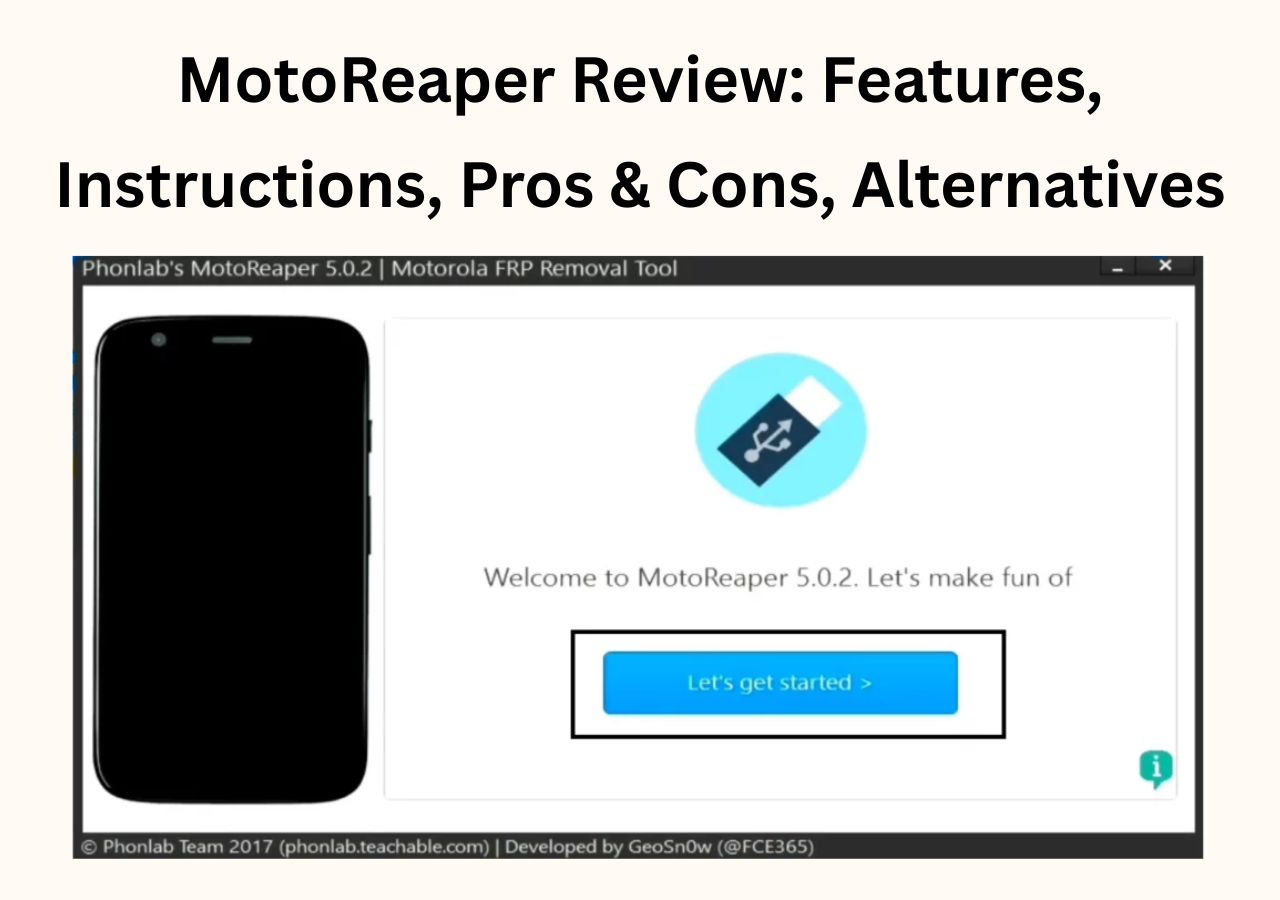
Motoreaper is a specialized Motorola FRP bypass solution built exclusively for Moto devices. Unlike APK‑based solutions, Motoreaper functions as a Windows program that communicates with the phone over USB, allowing users to execute commands that remove or bypass the Google FRP lock with computer. Because this Motorola FRP unlock tool targets Motorola specifically, Motoreaper is often considered more reliable on supported Moto models than generic FRP tools. However, development has slowed in recent years, so newer Android 12/13 Motorola devices may not be supported.
Key Feature
- Motorola‑focused FRP bypass with higher compatibility on older Moto models.
- PC‑based bypass using ADB/fastboot‑level operations (more stable than APK tricks).
- Auto‑detection of connected Motorola device.
- Simple interface suitable for non‑technical users.
Pros
- One of the most reliable solutions specifically for Motorola FRP removal.
- Stable success rate on many Moto G/E/Z models running older Android versions.
- Clear and simple UI compared to many third‑party FRP tools.
Cons
- Compatibility with Android 12/13 Motorola models is limited or inconsistent.
- Requires a Windows PC and proper drivers, which adds setup time.
- Some USB modes must be manually triggered, which can confuse beginners.
#4. SamFw Tool (Software; with Computer)
- 💠Rating: ★★★★☆
- 💠Android: Android 5.0 up to Android 12
- 💠Model: Supports a wide range of Motorola devices, including Moto G, Moto E, Moto Z, and some Droid series models.
- 💠Requirements: Windows PC required; USB cable; Motorola USB drivers installed; device may need to enter EDL/boot mode depending on FRP bypass method.
- 💠Secure Download: SamFw Tool Setup v4.9
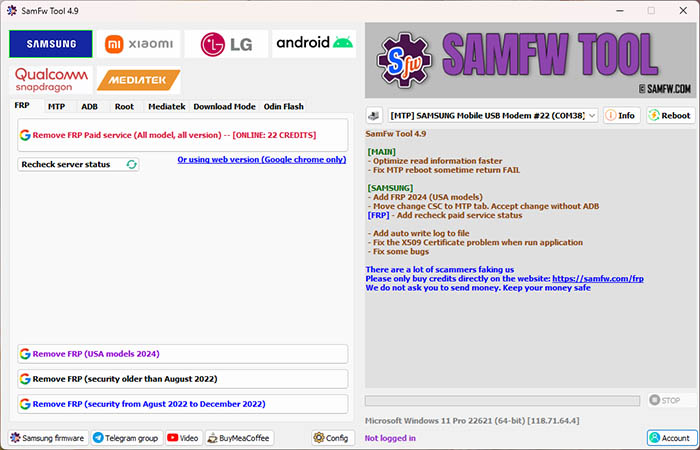
SamFw is a PC-based FRP unlock tool designed primarily for Samsung devices, but also support Motorola phones. It communicates with the phone via USB to execute bypass procedures, offering higher success rates than APK-only solutions. SamFw provides a straightforward interface that guides users through the FRP removal process, making it suitable for both technical and less-experienced users. While effective on many Motorola models, it may not support the latest Android versions or heavily patched devices.
![SamFw FRP Tool v4.9 screenshot]()
Key Feature
- PC-based Motorola FRP bypass using ADB and EDL modes.
- Step-by-step interface to simplify the bypass process.
- Can bypass FRP without requiring Google account credentials.
Pros
- Clear, guided interface reduces user errors.
- More stable and convenient than APK-only FRP bypass methods.
- Useful for devices where USB debugging or APK installation is blocked.
Cons
- Some users may encounter problems like an ADB failed error
- Limited support for Android 12+ and the newest Motorola models.
- Official support and updates are minimal.
#5. FRPRemoval.com (Web Service; with Computer)
- 💠Rating: ★★★☆☆
- 💠Android: Typically supports Android 6–16
- 💠Model: Works for nearly all Motorola models, such as Moto G Series, Moto E Series, Moto Edge Series, Moto Z Series, etc.
- 💠Requirements: No computer, USB cable, or ADB setup required; only IMEI and basic device information are needed.
- 💠Secure Access: https://frpremoval.com
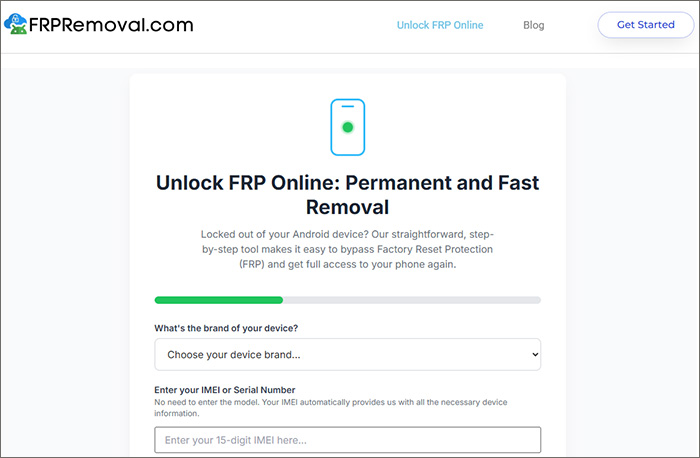
FRPRemoval.com is an online service designed to help users bypass FRP (Factory Reset Protection) locks on Android devices. Instead of traditional APK downloads or complicated manual steps, FRPRemoval processes unlock requests remotely and securely—simply provide your device details and IMEI, and their system will generate compatible dummy credentials to bypass the Google account verification screen. This makes FRP unlocking quick, safe, and accessible for both used and new Android phones—especially useful when you're locked out after a hard reset or when buying a secondhand device.
![FRPReemoval website]()
Key Feature
- Remote FRP bypass, no software download or physical device connection required.
- Supports all major Android versions and device brands—including full compatibility for Moto models.
- Simple online process: just enter device details and IMEI, and wait for automated unlocking.
Pros
- Unlock typically completed in under 20 minutes.
- Fast, easy, and beginner-friendly online unlocking.
- No need for technical expertise or rooting the phone.
Cons
- Unlock success will depend on the server's latest compatibility and your device status.
- Some users report unexpected charges or failed unlocks, with alleged scam experiences in rare cases—caution advised for payments.
#6. frpbypass.cc (Online FRP Bypass Resource)
- 💠Rating: ★★★☆☆
- 💠Android: up to Android 14
- 💠Model: Provides APKs and guides that work on many Motorola devices, especially older Moto G/E/Z models.
- 💠Requirements: may require a Windows PC, USB cable, and browser access.
- 💠Secure Access: https://frpbypass.cc
frpbypass.cc is a resource website that provides APK files and step-by-step guides for bypassing Google’s Factory Reset Protection (FRP) lock on Android devices. It is primarily aimed at users who have forgotten their Google account credentials or are locked out of their device after a factory reset. The site offers a collection of free tools and shortcuts to help users regain access to their phones and tablets without needing a computer in most cases.
Note that frpbypass.cc is not an online remote unlocking service like FRPRemoval.com. Instead, frpbypass.cc provides downloadable FRP bypass APK files and step-by-step guides that users install and operate directly on their locked Android devices.
Key Feature
- Wide compatibility with Android 5.0 to Android 14 devices.
- Direct APK downloads for one-click FRP bypass.
- No need for a computer or technical expertise in most cases.
Pros
- Easy-to-follow guides and APKs for beginners.
- No computer required for most bypass methods.
Cons
- Effectiveness may be limited on newer Android versions (Android 10 and above).
- Potential security risks if APKs are not downloaded from trusted sources.
Bonus: Unlock Motorola Screen Lock Without Password
If you're locked out of your Motorola device due to a forgotten screen PIN, pattern, or password, EaseUS MobiUnlock for Android provides a safe and straightforward solution. This Android screen unlocker tool focuses on removing the screen lock directly, allowing you to regain access to your device without credentials.
It works on a wide range of Motorola models and does not require advanced technical skills, making it a practical option for users who simply need to unlock their phone and continue using it normally.
Key Features:
❇️ Removes screen PIN, pattern, password, and fingerprint locks on Motorola devices.
❇️ Supports a wide range of Motorola models, including Moto G, Moto E, Moto Z, and more.
❇️ Simple step-by-step process suitable for non-technical users.
❇️ Works without requiring Google account information.
❇️ Fast unlocking process with a high success rate.
❇️ Compatible with most Android versions commonly used on Motorola devices.
FRP Bypass Motorola FAQ
1. Is it legal to use FRP bypass tools?
FRP bypass tools should only be used on devices you own or have explicit permission to unlock. Using them on unauthorized devices may violate local laws.
2. Will these tools work on all Motorola devices?
Compatibility varies by model and Android version. Older Moto G, E, and Z series devices generally have higher success rates, while newer devices with Android 12/13 may be harder to bypass.
3. Are these tools safe to use?
APK-based tools carry some risk if downloaded from unverified sources. Always download from trusted sites and scan files for malware before use.
Conclusion
FRP can be a challenging barrier for Motorola users who are locked out of their devices, especially on newer Android versions with stricter security patches. The tools reviewed in this guide each offer different strengths—some are PC-based and more stable, while others rely on APK methods that work better on older models. No single tool guarantees success, so choosing the right option depends on your device, Android version, and available equipment. Always use these methods responsibly, and remember that FRP protection exists to safeguard user data.
Final Note: This article is only informational. EaseUS does not endorse or promote any Motorola FRP bypass tool and we don't encourage unauthorized bypassing of security protections. Instead, we advocate for lawful, ethical, and security‑aware use of any FRP‑related solutions.






 NEW
NEW HOT
HOT
