Quick Solutions for Preview — Which Tool to Use Right Now
| Tool / APK |
Device Brand |
Android |
Requires PC? |
Verdict |
| 1. EaseUS MobiUnlock |
Samsung |
Android 6–16 |
✅ |
★★★★★ Smooth UI, high success rate
|
| 2. SamFw FRP Tool |
Samsung |
Android 8–15 |
✅ |
★★★★ Free and reliable |
| 3. Easy Samsung FRP Tool |
Samsung |
Android 5–9 |
✅ |
★★★ Easy but outdated |
| 4. Motorreaper |
Motorola |
Android 5.1–10 |
✅ |
★★★ Consistent on Moto G series |
| 5. Easy Flashing |
Motorola, Generic |
Android 6–12 |
❌ |
★★★ Advanced interface |
| 6. GSMNeo |
Samsung, Oppo |
Android 5–13 |
❌ |
★★★ Old but simple |
| 7. Pangu |
Samsung |
Android 5–13 |
❌ |
★★★★ Community favorite |
| 8. addROM |
All brands |
Android 6–9 |
❌ |
★★★★ Popular & lightweight |
| 9. vnROM |
Samsung, Xiaomi |
Android 5–15 |
❌ |
★★★★ Fast if server up |
| 10. Fixfirmware APK |
Samsung, Motorola |
Android 8–10 |
❌ |
★★★ For older patches |
Each FRP bypass tool featured here was tested hands-on across multiple locked Android devices from leading brands like Samsung, Motorola, Huawei, and Xiaomi. (tested in October 2025)
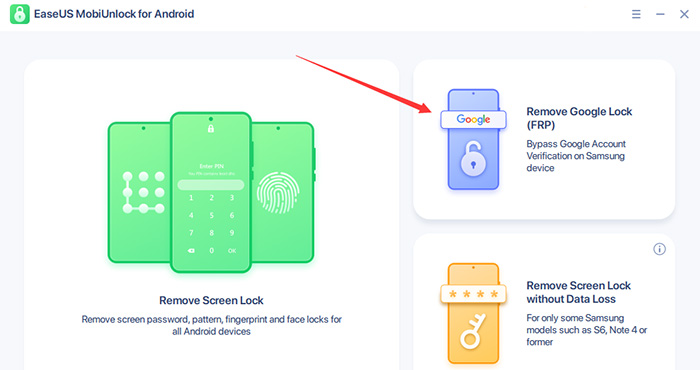
1. EaseUS MobiUnlock — One-Click PC Solution
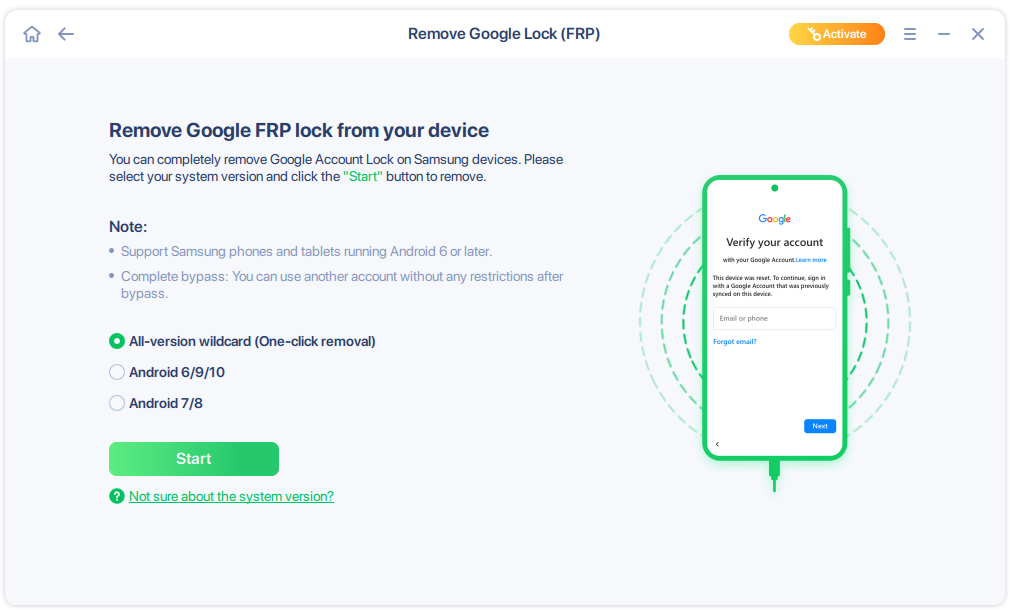
EaseUS MobiUnlock is one of the most reliable PC-based Samsung FRP bypass tools. Designed for both beginners and technicians, it offers a clean, intuitive interface with a true one-click unlocking process. The program supports Android 6 through Android 15. Compatible with both Windows (11/10/8/7) and macOS, it ensures a smooth setup on any computer.
In testing (Samsung A12 and Samsug J7, Android 12–13), the FRP lock was removed successfully in under 30 minutes with no technical errors or data loss. EaseUS MobiUnlock stands out for its high success rate, fast unlocking speed, and strong security assurance — the software is virus-free, digitally signed, and verified safe to use.
👉Pros
- Simple, one-click operation for beginners
- Removes Google account verification within 30 minutes
- Digitally signed, clean, and secure software (no ads or malware)
👉Cons
- Requires a PC connection
- Free trial has limited functions
According to Trustpilot, EaseUS scores 4.8 out of 5 stars based on over 33k user reviews. Most users highlight "easy-to-use features" and "helpful customer support." For example, one review notes: "Really terrific customer service. Friendly, responsive and helpful!"
For safe download, you can click the button below for a totally free trial:
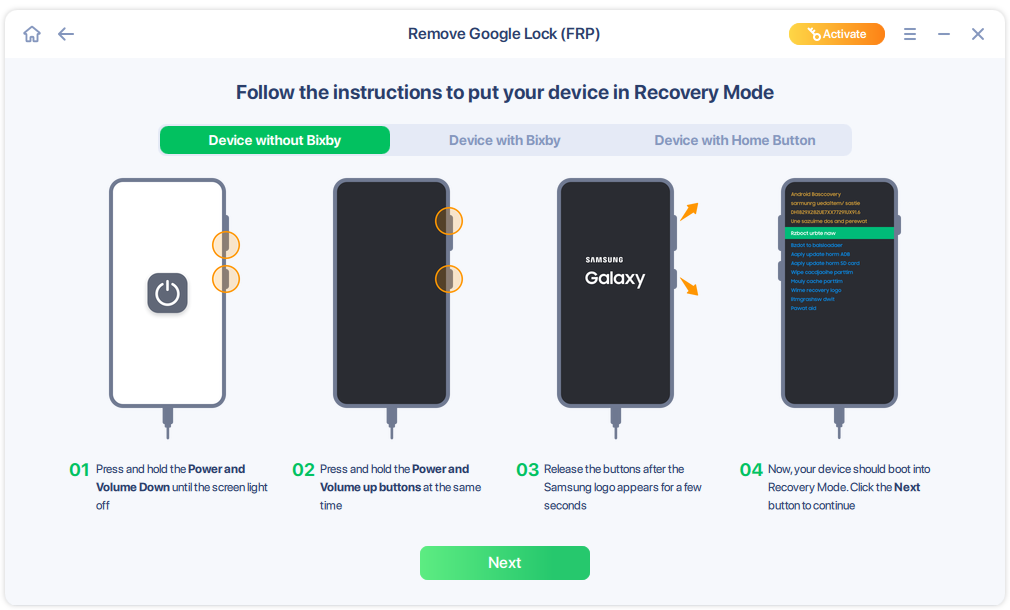
Quick 3 Steps to Bypass FRP Lock via MobiUnlock:
2. SamFw FRP Tool
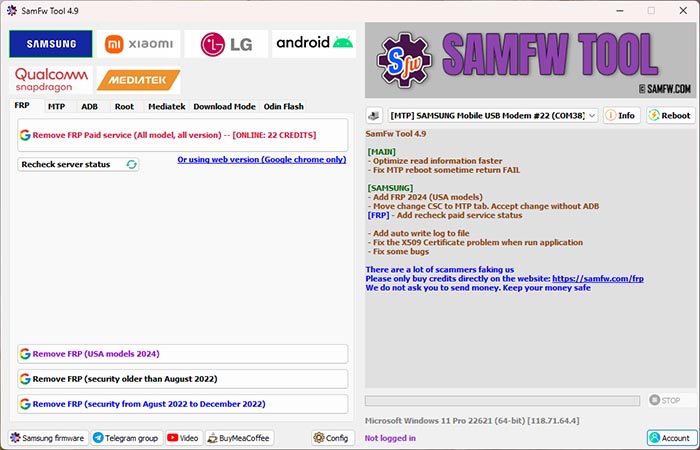
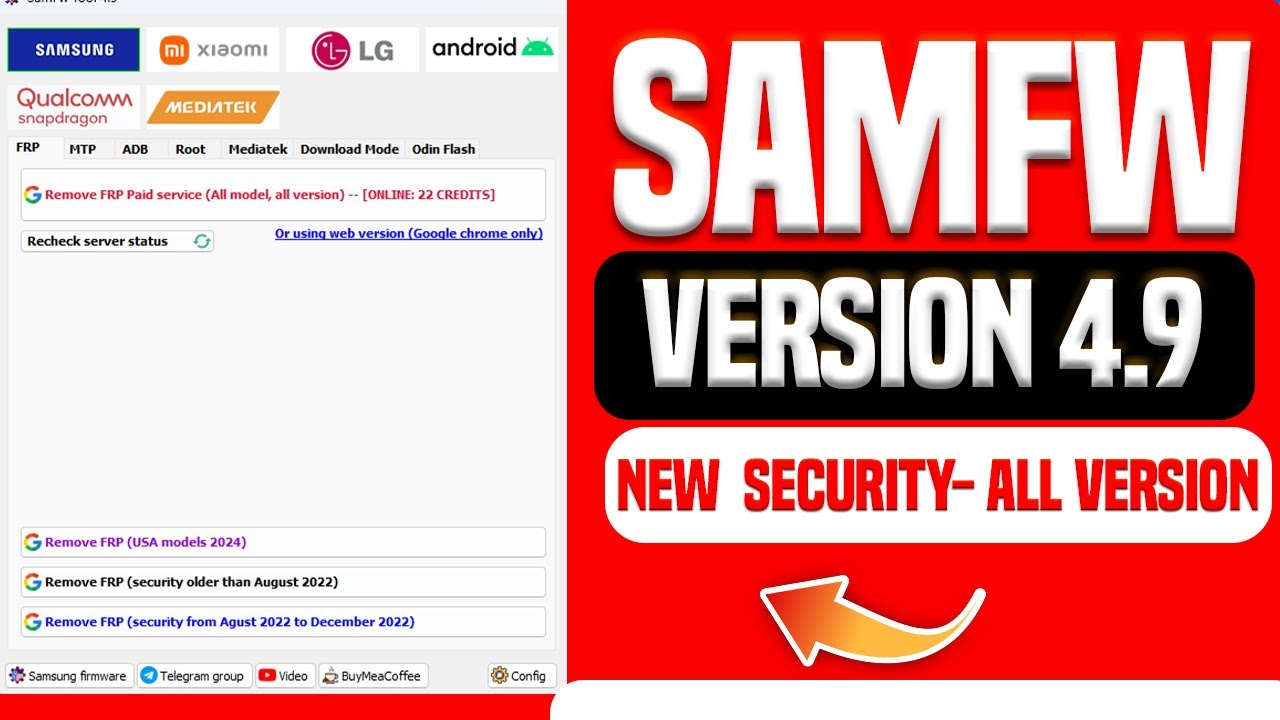
SamFw FRP Tool is a free and easy-to-use PC software designed primarily for bypassing FRP locks on Samsung devices. This free FRP bypass tool for Android supports unlocking Samsung models running Android 5 to 13, including the latest security patches for US variants. Key features include one-click FRP removal, CSC code changing, firmware flashing, and support for both Qualcomm and MediaTek chipsets.
During our hands-on testing with the SamFw FRP Tool, we found it to be a user-friendly and effective solution for bypassing FRP locks on recent Samsung models. It's notable for its high success rate and fast operation. Also, be cautious due to occasional technical hiccups, such as driver installation challenges or compatibility issues with certain firmware versions.
![SamFw]()
It scores 4.8 out of 5 stars in Trustpilot. Many users praise the tool for its straightforward interface and effective FRP bypass, with one review stating, "Samfw is the best when it comes to having the firmware I need without all the ads and redirects other sites throw at you when all you want to do is get the download and go."
Pros
- 100% free and ad-free
- Supports new One UI versions
Cons
- Sometimes blocked by antivirus
The 100% safe and official download address for the SamFw FRP tool: https://samfw.com/SamFwToolSetup_v4.9.zip
Follow the Video Guide to Use SamFw for Samsung FRP Bypass:
3. Easy Samsung FRP Tool
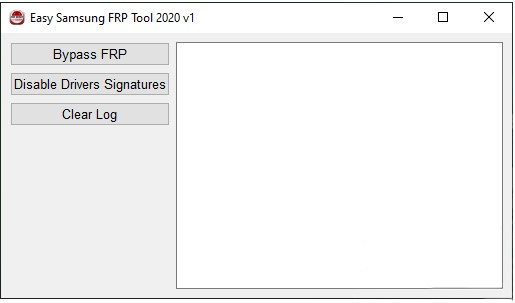
Easy Samsung FRP Tool is a popular and free FRP bypass tool widely used for bypassing FRP locks on Samsung devices. Although it lacks an official website, the tool is frequently mentioned on trusted third-party tech forums and software download platforms, where users share positive experiences regarding its functionality and simplicity.
![easy samsung frp tool homepage]()
Security & Reliability Concerns:
Because there is no centralized official site, it is important to download Easy Samsung FRP Tool only from reputable sources to avoid counterfeit or malicious versions. Through our test, there are a lot of 'Easy Samsung FRP Tool free download' sites, but most of them include a malicious redirected page. In this section, I don't recommend any third-party download address or website. Caution when you search 'Easy Samsung FRP Tool free download' on Internet.
Alternatively, you can find trustworthy installation packages for Easy Samsung FRP Tool through reputable YouTube technology channels. Many creators share detailed video tutorials on bypassing FRP locks and include download links for the official tool in their video descriptions—commonly via Google Drive, Mega, or other file hosting services.
Third-party Download Address: https://androidfilehost.com/?w=files&flid=329241 (Android File Host is a legal file hosting platform; safe to use)
Pros
- Simple GUI
- Works without flashing firmware
- Lightweight (under 10MB)
Cons
- Work well for Android 5–9
- Sometimes outdated for newer patches
- No official tutorial or download address
4. Motorreaper FRP Removal Tool
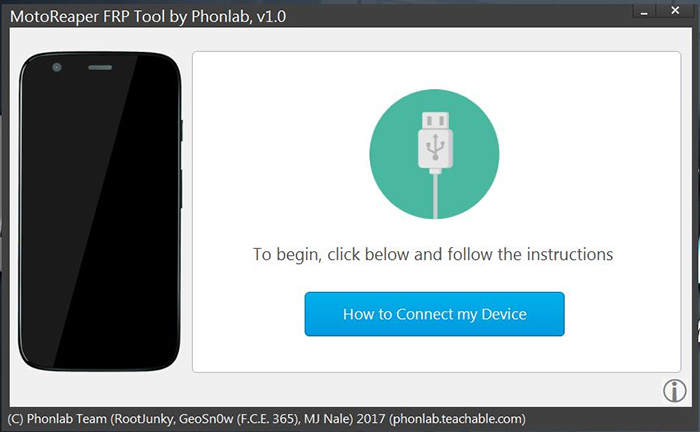
Motorreaper FRP Removal Tool is a specialized software developed by the Phonlab team to bypass FRP on Motorola devices. Designed for PC use, it supports a broad range of Android versions, including 5.1, 6.0, 7.0, 7.1, 8.0, and 9.0, with partial compatibility reported for Android 10. The tool is highly regarded for its universal compatibility across Motorola models—if your device runs a supported Android version, Motorreaper is likely to work.
To use Motorreaper, users must enroll in the Phonlab smartphone tech course, as downloads and updates are exclusive to course members. This ensures users receive training, support, and troubleshooting assistance, contributing to higher success rates for FRP removal.
Note that there is no widely recognized, official commercial download site for MotorReaper. The tool is most often linked from the Phonelab website and distributed via third-party mirrors and hosts such as AndroidFileHost, bypassfrpfiles, and various forum or blog mirrors.
![motorreaper]()
Security & Reliability Concerns:
Because MotorReaper lacks a single, clearly maintained official distribution channel, copies circulating online may have been repackaged, modified, or bundled with unwanted components. That increases the risk of downloading a tampered or malicious build. For this reason, treat MotorReaper downloads with caution.
Third-party Download Address: https://androidfilehost.com/?fid=17248734326145693446 (Android File Host is a legal file hosting platform; safe to use)
Pros
- Backed by Phonlab training course with user support
- Simple, step-by-step process; no device flashing needed
- Free to use with wide Motorola device compatibility
Cons
- Requires enrollment in Phonlab course for official access
- May not support the latest Motorola models or Android versions
- No official public download; third-party sources risk
5. Easy Flashing FRP Bypass 8.0 APK
Easy Flashing FRP 8.0 Bypass is a free Android APK designed to help users bypass Google FRP on Android tablet or phone devices, without the need for a PC. The latest version is optimized for Android 8.0 (Oreo) but supports a broad range of models from Android 6.0 up to 12, with partial compatibility for newer versions.
This free FRP bypass tool for Android works with popular brands such as Samsung, Huawei, LG, Xiaomi, OPPO, Vivo, Tecno, and Infinix. It features a simple, user-friendly interface that guides even beginners through each step, making FRP bypass possible within minutes by using a USB drive and OTG cable. Typical success scenarios include unlocking devices after a factory reset when Google account details are forgotten or missing, especially for second-hand phones. However, some users may encounter compatibility issues on Android 12+ models or see failures due to incomplete driver installation or hardware variation.
Pros
- Supports wide range of brands and compatible with Android 6.0 to 12.
- No PC needed; works via APK (7.5 MB) and OTG cable.
- Free to use, fast bypass, and frequently updated.
Cons
- May not support all Android 12 or newer devices.
- No official technical support.
- Data is erased during some bypass scenarios.
6. GsmNeo FRP APK
GsmNeo FRP APK is an easy-to-use, PC-free tool designed to bypass Google account verification (FRP) on a wide range of Android devices. According to its official website, it supports all major Android versions from Lollipop 5.0 through the latest Android 13, ensuring compatibility with most current and older phones.
The FRP unlock tool works across various popular brands, enabling users to bypass FRP on Samsung, Xiaomi, Huawei, Oppo, Realme, Vivo, and more. It allows for quick navigation to device settings or Google account manager apps to complete the bypass process without technical expertise or the need for a PC.
However, some failure cases arise when devices have the latest security patches or unique custom firmware that block app shortcuts or disable necessary services, requiring alternative unlocking methods or PC-based tools.
Official Download and Tutorial: No recommended resources; you can find it from some third-party dowload sites, such as https://frpbypass.io/gsmneo-frp/.
One more attention: While attempting to access the official GsmNeo FRP Tools website at gsmneofrp.net, I experienced automatic quick redirect to an unrelated third-party URL and it said the webpage cannot be found. It should be treated with caution when you search GsmNeo FRP APK and download it from a third-party webpage.
Pros
- Compatible with many popular brands.
- Offers built-in app shortcuts for quick access to settings and Google services, enabling easier FRP bypass.
- Free to download and use from multiple sources.
Cons
- APKs are not officially distributed on app stores, increasing risk of malware from unverified downloads.
- Success depends on device firmware and security patches; not all devices unlock successfully.
7. Pangu FRP Bypass APK
Pangu FRP Bypass APK is a widely used Android tool designed to help users bypass Google's Factory Reset Protection (FRP) lock without needing a PC. It supports a broad range of Android versions, typically from Android 5.0 (Lollipop) up to Android 13, enabling compatibility with the majority of devices in use today. The tool is notable for covering numerous device brands, including Samsung, Oppo, LG, Panasonic, HTC, Asus, Lenovo, Huawei, Vivo, Xiaomi, and many others, making it a versatile choice for unlocking a wide array of smartphones.
The APK provides a moderately user-friendly experience but still requires some technical knowledge to operate successfully. Pangu FRP Bypass is best suited for users who encounter FRP locks after factory resetting their devices or purchasing second-hand phones with locked Google accounts.
Official Download and Tutorial: Like the Easy Samsung FRP tool mentioned earlier, Pangu FRP Bypass APK also has no official website and direct download link.
Pros
- Frequently updated with the latest bypass methods.
- Offers solutions for less common brands such as Panasonic, Gionee, and Micromax.
- Free to download
Cons
- Some technical knowledge required for installation and usage.
- Might not work on devices with the newest firmware or security patches.
- Occasional failure due to device-specific firmware or carrier restrictions.
- Downloading APKs from unofficial sources risks malware.
8. addROM FRP bypass APK
addROM FRP Bypass is a standalone APK application designed to help users bypass the Factory Reset Protection (FRP) lock on various Android devices without requiring a PC. It supports a range of Android versions, primarily up to Android 9.0. However, it may not be effective on devices running Android 10 or above.
The app is compatible with multiple popular brands, such as Samsung, Oppo, LG, Panasonic, HTC, Asus, Lenovo, Huawei, Vivo, Xiaomi, Micromax, and others, making it a versatile tool for FRP bypass across many devices.
- APK Download Address: You can click below to download addROM FRP bypass APK safely at https://addrom.com/bypass/.
- Official Tutorial: Follow the official guide from their YouTube channel at https://www.youtube.com/@addROMcom/videos.
Pros
- Free and standalone APK, no PC needed
- Ad-free and doesn't require purchase
- Access via official addROM website and YouTube channel with tutorials
Cons
- Limited to Android versions below 10
- Complex multi-step process unsuited to beginners
- Sometimes ineffective on devices with recent updates or custom ROMs
9. vnROM FRP Bypass APK
vnROM FRP Bypass APK is a popular, free tool designed to bypass FRP on a wide range of Android devices without needing a PC. It supports Android versions from 5.0 (Lollipop) up to 15, covering brands including Samsung, Motorola, Huawei, Vivo, Redmi, Realme, and more. The app offers a user-friendly interface with step-by-step guidance, making it accessible to users with basic technical knowledge.
The process often requires downloading the APK to a USB drive, connecting via OTG cable, enabling TalkBack accessibility features, and installing the bypass app on the locked device.
- APK Download Address: The APK can be downloaded from the official vnROM website at https://vnrom.net/bypass/.
- Official Tutorial: Detailed usage instructions and tutorials are available on the official vnROM site and YouTube channels, such as this YouTube guide.
Pros
- Supports a wide range of Android versions (5.0 to 15)
- Free to use with regular updates
- Step-by-step instructions
Cons
- Process is relatively complex
10. Fixfirmware Apk
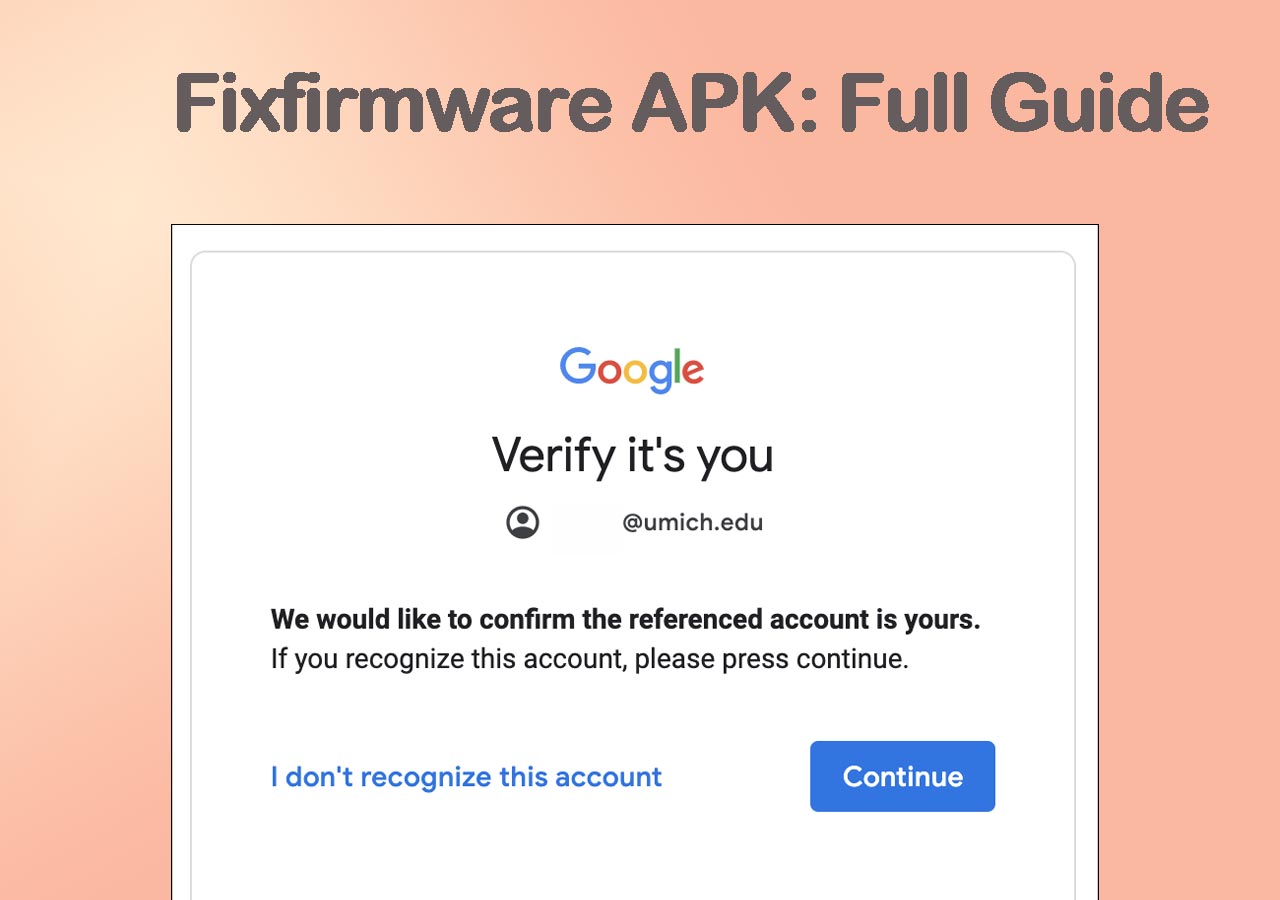
Fixfirmware APK primarily targets unlocking FRP locks on all Samsung phones and a small number of Motorola devices. It supports Android versions 8, 9, and 10, making it a useful tool for users locked out due to forgotten Google account credentials after a factory reset.
This APK app bypasses FRP lock on Samsung without PC and guides users through steps involving TalkBack accessibility features, accessing YouTube via Google Assistant, downloading required APK files, and granting necessary permissions.
- APK Download Address: https://fixfirmware.com/apk/
- As for official tutorial and usage guide, it's available on Fixfirmware's official website.
Pros
- Helps resolve firmware-related issues as well as FRP locks.
- Free to download from official websites
- Supports multiple devices
Cons
- Limited support for Android versions beyond 10.
- Process involves multiple steps, requiring careful following to succeed.
- No dedicated customer support for troubleshooting.
The Bottom Line
If you're locked out of your Android device due to Google's Factory Reset Protection, the right bypass tool depends on your technical skill and device brand.
For beginners and Samsung users: EaseUS MobiUnlock — safest, highest success rate, full support.
For Samsung-only users: SamFw FRP Tool — free and fast.
For Motorola owners: Motorreaper FRP Tool — focused and reliable.
For old Android versions: Pangu or addROM APKs — quick and free.
Whichever method you choose, always verify APK safety, back up your data, and use these tools only on devices you own or have authorization to access.
Common Errors During FRP Bypass
During the Android FRP bypass process, if you encounter the following failure, calm down and try to find out the issue and address it quickly based on the following.
| Error |
Possible Cause |
Quick Fix |
| Device not recognized |
USB drivers missing |
Reinstall Android USB Drivers |
| Bypass failed |
Android patch too new |
Try PC-based tool instead |
| App not installed |
APK signature mismatch |
Re-download from verified source |
| ADB not enabled |
Developer options locked |
Use MobiUnlock recovery method |
FRP Bypass FAQ
1. Is bypassing FRP legal?
Yes, if you own or have permission to access the device. It's illegal to bypass FRP on stolen or third-party phones.
2. Do FRP bypass tools erase data?
Yes, many tools perform a reset during FRP removal, so back up your data if possible.
3. How do I stay safe when using FRP tools?
First of all, choose a secure and well-known FRP unlock tool like EaseUS MobiUnlock. Second, download only from official sources, verify file hashes, and never pay third-party "unlock" services promising instant bypass. And never download a pirated application from third-party websites.





 NEW
NEW HOT
HOT
