🚨Disclaimer:
This article is intended for informational and educational purposes only. We do not promote, host, or distribute any third-party APK files. Using FRP bypass or firmware modification tools may violate your device warranty or Google's security policies. Proceed at your own risk and only on devices you legally own.
What Is Fixfirmware APK?
Fixfirmware APK is a third-party Android tool designed to help users resolve various firmware-related issues such as FRP (Factory Reset Protection) lock, bootloop errors, and general system glitches.
According to its official website (fixfirmware.com), this app assists users who are locked out of their phones or have forgotten their Google account credentials, allowing limited customization of Android firmware while maintaining device security.
Pros ❤
- Free to access and download from various links.
- Compatible with many Android brands and firmware versions.
Cons ❤
- No official or verified developer; authenticity is unclear.
- Risk of malware or privacy leaks from unverified APK sources.
- The manual FRP bypass process are extremely complicated and difficult for beginers.
Which Brands and Androids are supported by Fixfirmware APK?
Fixfirmware APK claims to support a wide range of Android brands, including Samsung, Motorola, Vivo, Xiaomi, Oppo, Huawei, and Realme devices. It reportedly works on Android 6.0 (Marshmallow) through Android 13, depending on the method used for FRP bypass or customization. Based on our survey, many Android users are looking for the latest version of Fixfirmware APK for Motorola/Samsung FRP bypass. Well, they are coming to the right page.
Is Fixfirmware APK Safe?
While Fixfirmware APK presents itself as a legitimate firmware repair and FRP bypass tool, its safety is questionable. The site doesn't host official developer credentials, version history, or verified download sources. Because of this, users face the following potential risks:
- Malware infection: Many of its linked APKs come from unverified cloud drives.
- Device instability: Firmware or FRP manipulation can trigger system crashes or permanent data loss.
- Privacy concerns: Apps requiring deep device access (e.g., Package Disabler Pro) may expose personal information.
- Legal gray area: Using FRP bypass tools on devices you don't own or without authorization can violate local laws and Google's Terms of Service.
If you choose to experiment with Fixfirmware APK, ensure it's on your own device, use it offline, and perform a full data backup first.
How to Use Fixfirmware APK
Based on the Fix Firmware official webpage, here's how users generally use the Fixfirmware APK to bypass FRP lock.
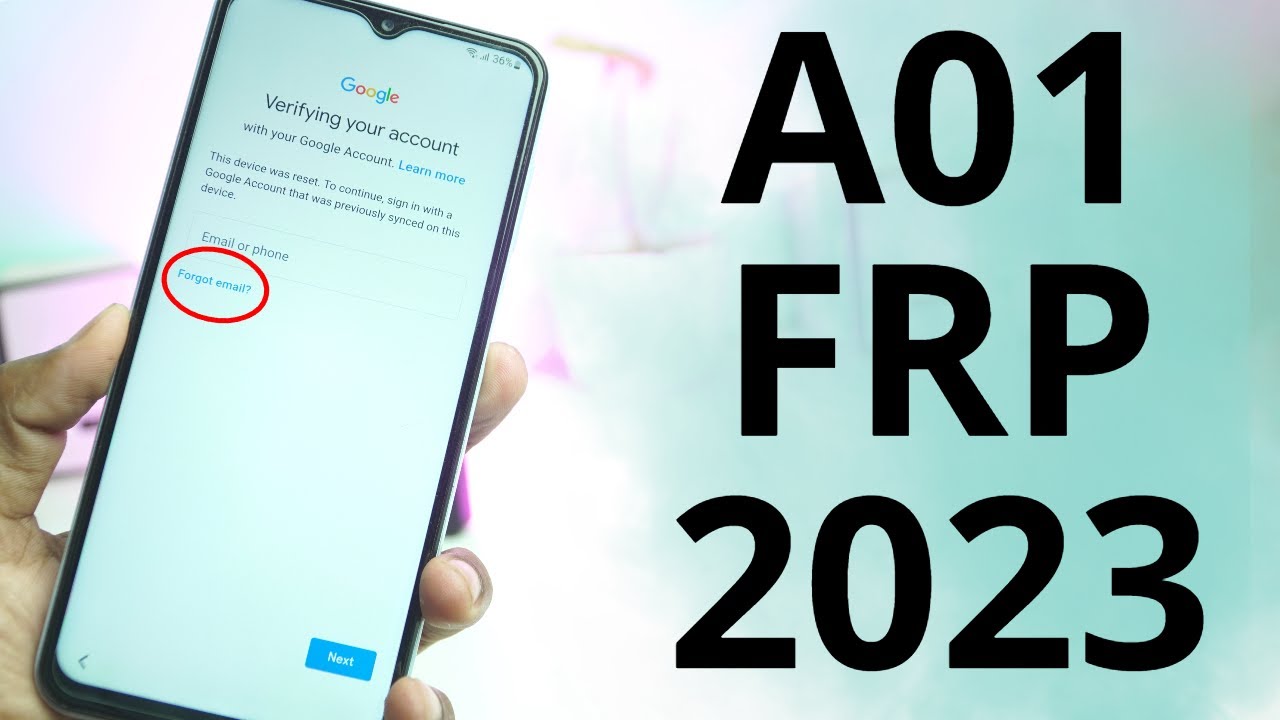
Step 1. Reach the Google Verification Screen
Turn on the device and proceed through initial setup until you arrive at the Google account verification (FRP) screen. Do not insert a SIM and connect to Wi-Fi.
Step 2.Enable the TalkBack Feature
Go back until to the Welcome screen and then press and hold two finger for a few seconds on the screen to enable TalkBack.
Step 3. Open YouTube via TalkBack
Once the TalkBack feature is activated, say "Google Assistant" to your phone and tap the keyboard icon to enter "Open YouTube". Then it will open your YouTube app on your phone.
Step 4. Open the Browser via YouTube Terms of Service
In your YouTube app, tap your Profile in the up-right corner. Go to Settings > About > YouTube Terms of Service to open the bowser accordingly.
Step 5. Download Fixfirmware APK in the Browser
Once you launch the browser successfully, enter https://fixfirmware.com/apk/ in the search box and download the following four tools.
- Packeg Disabler Pro
- Notification Bar
- Disabler Pro Fix.Xml
- Google Account Add.Apk
Step 6. Download Fixfirmware APK in the Browser
Try to install these apps for 5 times. Then re-enter the Download file folder and press the four apps to install again. At the moment, surprise comes! It will pop up the install confirmation dialoge. Tap "Install" to install these APKs on your locked phone.
Step 7. Bypass FRP on Android Phone with Fixfirmware APK
Once you download Fixfirmware APK on your locked phone, you can use them to bypass the FRP lock. Due to there would be a lot of tapping, it's recommended to follow the video below (from 6:00).
Fair Use
The FRP (Factory Reset Protection) feature exists to protect users' data and deter phone theft. Therefore, FRP bypass tools such as Fixfirmware APK should only be used for fair and legal purposes, for example:
- ✅Unlocking your own device after forgetting your Google account credentials.
- ✅Testing, researching, or learning about Android firmware for educational or development reasons.
- ✅Assisting legitimate phone recovery or service center repairs.
- ✅Using Fixfirmware APK for unauthorized access, resale, or stolen device activation is illegal and unethical.
Common Errors When Using Fixfirmware APK
Feedback from users on Reddit, YouTube, and Android forums reveals several common problems when using Fixfirmware APK:
1. Fixfirmware Update Rrror
The app shows a notification like "Fixfirmware update failed" or freezes when checking for updates. Fixes:
- Turn off Wi-Fi and try launching the app offline.
- Avoid pressing "Update" in cracked or mirrored versions.
- Reinstall the latest available APK manually from a verified source.
- If the update site is down, skip the update and proceed with manual steps (as many community users suggest on Reddit/YouTube).
2. Can't Download APKs on Locked Phone
Some users report they cannot download or save APK files to a phone that's stuck at the FRP/verification screen — the browser download aborts, "download failed" appears, or the file never shows in Downloads. This blocks the entire APK-based bypass flow. Fixes:
- Confirm available storage on the device (if possible) and clear space via any accessible UI.
- Try an alternative transfer method: download the APK on another device (PC or phone) and transfer via OTG flash drive, XShare/ShareMe, or a USB cable.
- Use a PC-based solution to push the APK (or perform unlocking) — reputable desktop tools avoid needing in-device downloads.
- If the browser blocks downloads, try opening the link in a different browser (if available via the tutorial flow) or using the YouTube → Terms → Browser indirect route described in guides.
- As a last resort, stop APK attempts and seek official support or a professional repair service rather than repeatedly trying risky workarounds.
Safer Alternative to Fixfirmware APK [One-click Solution]
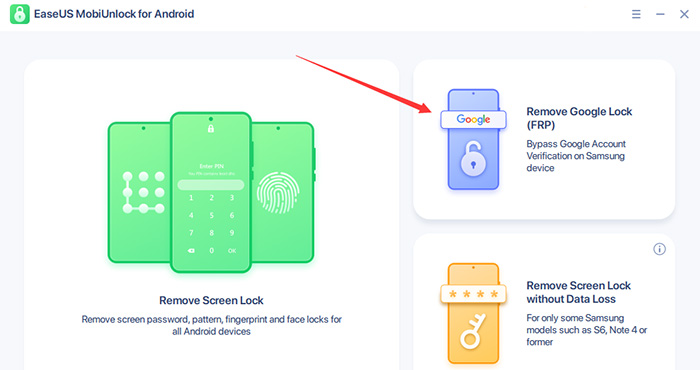
If you want a safer, legal, simple and more stable FRP unlock tool for removing FRP lock on Samsung phones or tablets, try EaseUS MobiUnlock for Android.
![use EaseUS MobiUnlock for Android to unlock FRP on Samsung]()
Why Choose EaseUS MobiUnlock for Android:
- ❇️ Officially developed by EaseUS, a trusted software company.
- ❇️ Supports Samsung, Xiaomi, Oppo, Vivo, Motorola, Huawei, and other major brands.
- ❇️ Provides one-click FRP bypass for Samsung devices without technical risk.
- ❇️ Comes with clear UI and customer support.
- ❇️ 100% malware-free and PC-based, so no unverified APKs needed.
Comparison: Fixfirmware APK vs. EaseUS MobiUnlock 🆚
| Feature |
EaseUS MobiUnlock |
Fixfirmware APK |
| Ease of Use |
One-click FRP byapss: Click FRP Bypass, enter the recovery mode, and start bypassing |
Complex manual operations: enable Talkback, open YouTube and browser, download APKs on locked phone, install APKs, ... |
| Technical Skill Required |
Beginer-friendly |
High |
| Safety |
Verified, secure installation |
Unverified, risky links |
| Estimated time |
Around 10 minutes |
30 minutes or even longer |
| Cutomer Service |
24/7 technical assistance |
None |
| Pricing |
Free trial ($39.95/y) & 30-day refundable |
Free, but hidden costs (time, risk, and manual complexity) |
FAQ
1. What is Fixfirmware APK used for?
It's mainly used to bypass FRP lock and troubleshoot Android firmware issues like bootloop or account verification failure.
2. Is Fixfirmware APK legal to use?
It's legal only if used on your own device or with the owner's consent. Unauthorized bypassing violates Google's policies.
3. Does Fixfirmware APK work on Samsung Android 14?
Currently, there's no verified proof it works on Android 14. Most bypass methods are patched in new security updates.
EaseUS does not promote or host any third-party FRP bypass APK tool; this page is a technical overview intended for educational use.






 NEW
NEW HOT
HOT
