This article provides informational guides on the GSM Prime Tool for educational and troubleshooting purposes only. These methods are intended for legally owned devices; unauthorized use on stolen or third-party phones is illegal and unethical.
GSM Prime Tool Overview
GSM Prime Tool, also known in newer builds as Prime ToolX, is a Windows-based servicing utility used mainly to unlock and repair Android phones, especially Samsung devices. It focuses on FRP bypass and other low-level service operations rather than everyday user features.
What it does:
- Bypass FRP lock on Samsung phones with Qualcomm and MTK processors.
- Flash or restore devices with BL, QP, and CSC files via Odin or other loaders.
- Remove network restrictions on SIM cards so that you can switch carriers easily.
- Fix system issues, including bootloops, soft bricks, and other OS glitches.
How to Use the GSM Prime Tool
Check GSM Prime Tool Compatibility First
GSM Prime Tool/Prime ToolX works on Android 5-13 for FRP and related functions. Newer Android versions are not fully supported; recent phones running Android 14 or 15 may fail to be detected or may not work.
- Samsung: Galaxy A02, A02s, A03, A03s, A04, A04e, A05, A05s, A06, A10s, A11, A20s, A32 Android 5-13
- Xiaomi: Redmi A1/A2/A3, Redmi 9A/10/12C, Redmi Note 12S/13C/14C Android 11-15
- LG: LG G7, G8, G8X, G8S, V30, V40, V50, V50S, Q6, G5, G6, V20, V35, V60 Android 8-13 (EDL mode)
- Motorola: Moto E22, E22i, G05, G15 Andriod 12-15
Download GSM Prime Tool Latest Version
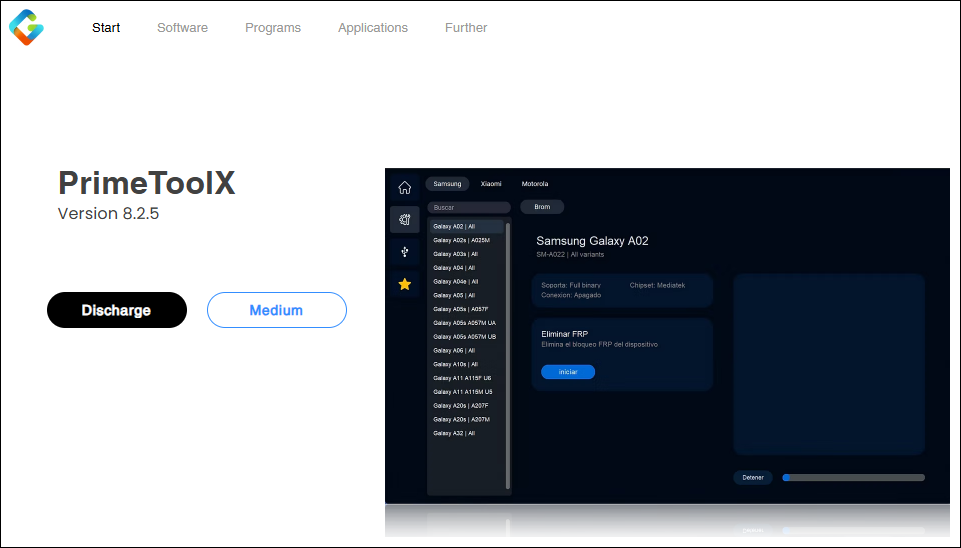
The latest version of GSM Prime Tool is v8.2.5 and is available on the official website. You need to disable the antivirus temporarily if it flags the tool.
Step 1. Go to the official site and click Desacragr.
![gsm-prime-tool.png]()
Step 2. It will open up a page and start decoding the file.
Step 3. Click Download again to save PrimeToolX8.2.5.rar, which is about 159MB.
Step 4. After downloading, extract all files using 7-Zip or WinRAR and install the software on your computer.
Use the GSM Prime Tool to Bypass Samsung FRP
GSM Prime Tool performs FRP bypass on supported Android devices like Samsung after a factory reset. Follow the steps below to access your device that's locked due to forgotten Google credentials.
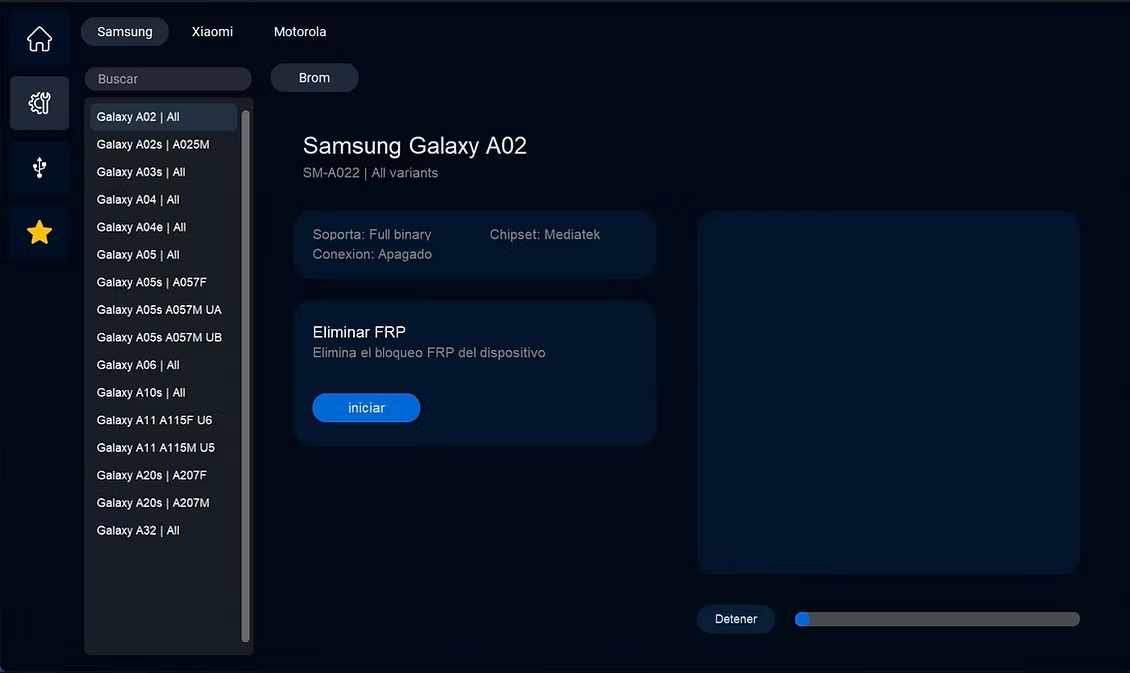
Step 1. Launch Prime ToolX and select your Samsung phone model.
![gsm-prime-tool-samsung-frp-bypass.png]()
Step 2. Turn off the phone. Get a USB cable and plug one end into your computer, but do not connect it to the phone yet. Put your phone into the Download/Odin Mode.
- Press and hold the Volume Up + Down buttons at the same time.
- While holding the buttons, plug the USB cable into your phone.
- Keep holding the buttons until you see the blue warning screen.
- Press the Volume Up button to confirm and enter the Download Mode.
Step 3. Click Iniciar to start removing FRP. Once it finishes, you can unplug your USB cable and restart your phone freely.
Check the YouTube video about PrimeToolX 8.
Troubleshooting Common Issues of the GSM Prime Tool
When using the GSM Prime Tool for FRP removal, you may encounter some common problems, including device detection failures, connection errors, and incomplete FRP bypasses.
Device Not Detected
- Install the correct USB drivers (Samsung Odin, Qualcomm HS-USB QDloader 9008) manually.
- Run the tool as administrator.
- Try different USB ports or reboot phone into correct mode (Test #0#, Download, EDL).
Bypass Stuck/Failed/Incomplete
- Retry Odin/Download or Qualcomm EDL; switch to Test mode if it still fails.
- Ensure Android 5-13 on supported Samsung A/M series; newer Android versions or device models often fail.
- Try the GSM Prime Tool alternative for Samsung FRP bypass.
Download/Extract Errors
- Chrome blocks .rar. Allow download in browser settings or use Edge/Firefox instead.
- Loader crashes: Extract to a new folder, run Loader.exe first before main GSMPrime.exe.
Best Alternative to the GSM Prime Tool
EaseUS MobiUnlock for Android is a reliable, user-friendly alternative to GSM Prime Tool for FRP bypass, offering broader device support and fewer compatibility issues without needing complex modes like EDL or test mode.
Key Advantages:
- Support FRP bypass on both old and new Samsung devices running Android 5-15.
- Safer official software with regular updates, technical support, and no malware risks.
- Available on both Windows and macOS computers.
- Remove screen locks without passwords on most Android brands, including Samsung, Moto, LG, Huawei, OPPO, etc.
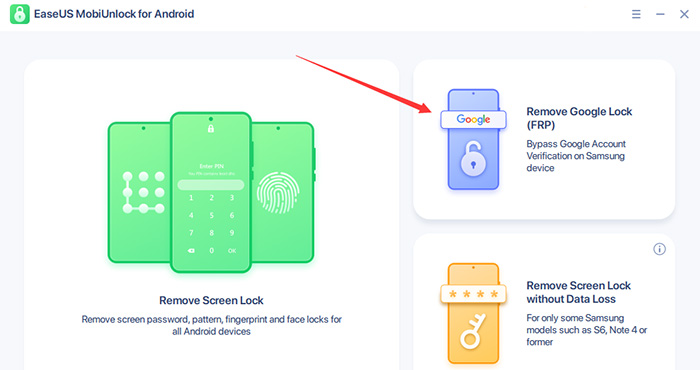
Step 1. Launch EaseUS MobiUnlock for Android on Windows, select Remove Google Lock (FRP).
![easeus mobiunlock homepage]()
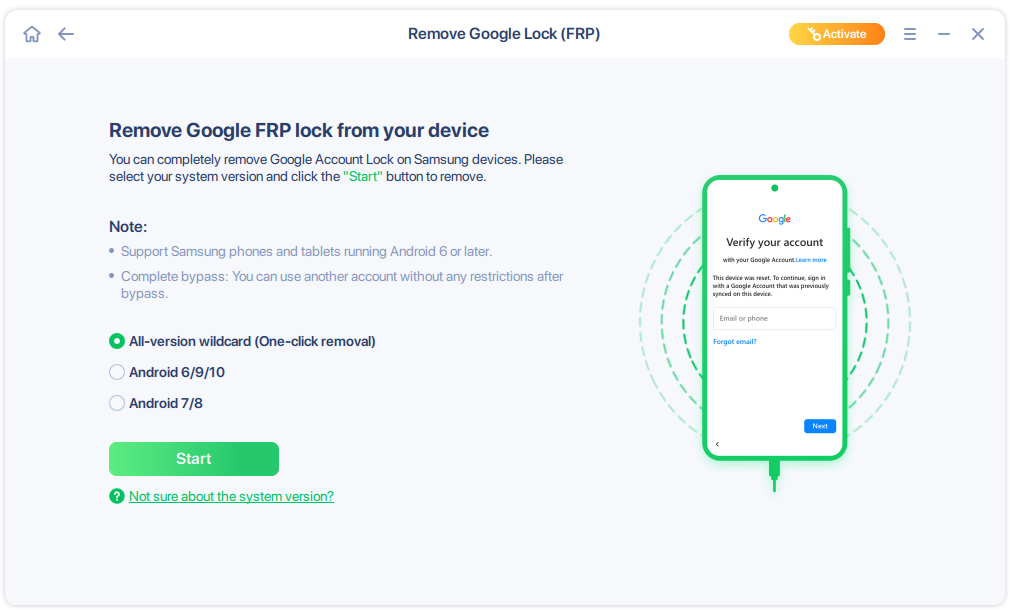
Step 2. Connect your Android device via USB and click Start and follow the on-screen instructions.
![select Sart to bypass FRP now]()
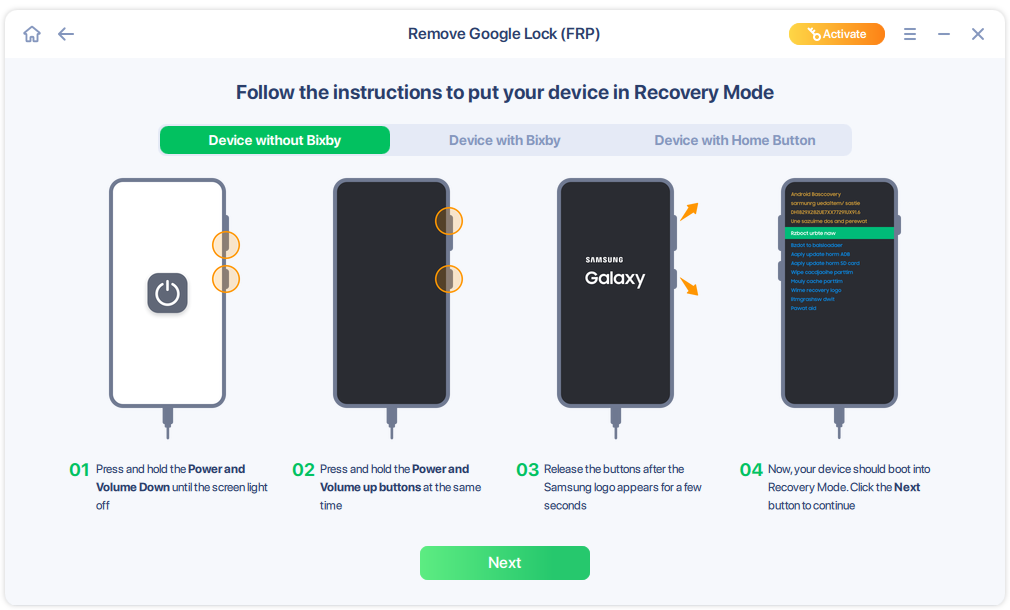
Step 3. Put your Android into Recovery Mode as prompt and wait 3–5 minutes for the FRP lock to be removed, then reboot.
![enter the recovery mode]()
Conclusion
GSM Prime Tool or PrimeToolX offers effective FRP bypass for supported Samsung devices, but comes with limitations like detection issues or narrow compatibility. EaseUS MobiUnlock emerges as the superior alternative, providing seamless 1-click FRP removal without the troubleshooting hassles of GSM Prime.
FAQs Related to GSM Prime Tool
Is GSM Prime Tool free?
Yes. It's free to download and use without subscriptions, though some advanced features in updates may require server login or donations via the developer community.
Can it brick my phone?
Rarely, if interrupted during flashing or used on unsupported firmware; always back up data and follow the exact steps to minimize risks like soft-bricks.
Can it bypass Samsung Knox?
No, FRP bypass doesn't trip Knox on most models, but full flashing or rooting will void the warranty and activate Knox counter.






 NEW
NEW HOT
HOT
