📢!!!This article is for informational purposes only. Using Broque Ramdisk Pro or any iCloud bypass tool carries risks, including legal issues, device damage, and data loss. Only use these tools on devices you own or have permission to modify. We do not promote illegal activities. Use at your own risk.
Broque Ramdisk Pro Basic Info, Compatibility Included
Broque Ramdisk Pro is a desktop utility designed to bypass various locks on supported iPhones and iPads, including iCloud Activation Lock and device passcodes, without requiring the original Apple Account or password. The tool also offers additional features like jailbreaking, MDM bypass, Apple ID removal, and restoring the device to compatible iOS versions.
How Does It work?
It works by leveraging the Checkm8 exploit to create a custom ramdisk (a temporary session in the device's RAM), allowing users to access the home screen and some basic device functions even when locked by iCloud.
Supported Devices & iOS Version
Broque Ramdisk Pro supports devices with A9, A10, A11, and A12+ chips, running iOS 7 to iOS 18. It is used primarily to regain control of locked iOS devices for free on Windows 7/8/10/11.
| Supported SoC |
Supported Device Model |
| A9 |
iPhone 6S, iPhone 6S Plus, iPhone SE (1st gen), iPad (5th gen, 2017) |
| A9X |
iPad Pro (12.9-inch, 1st gen), iPad Pro (9.7-inch) |
| A10 |
iPhone 7, iPhone 7 Plus, iPad (6th gen, 2018), iPad (7th gen, 2019) |
| A10X |
iPad Pro (10.5-inch, 2017), iPad Pro (12.9-inch, 2nd gen, 2017) |
| A11 |
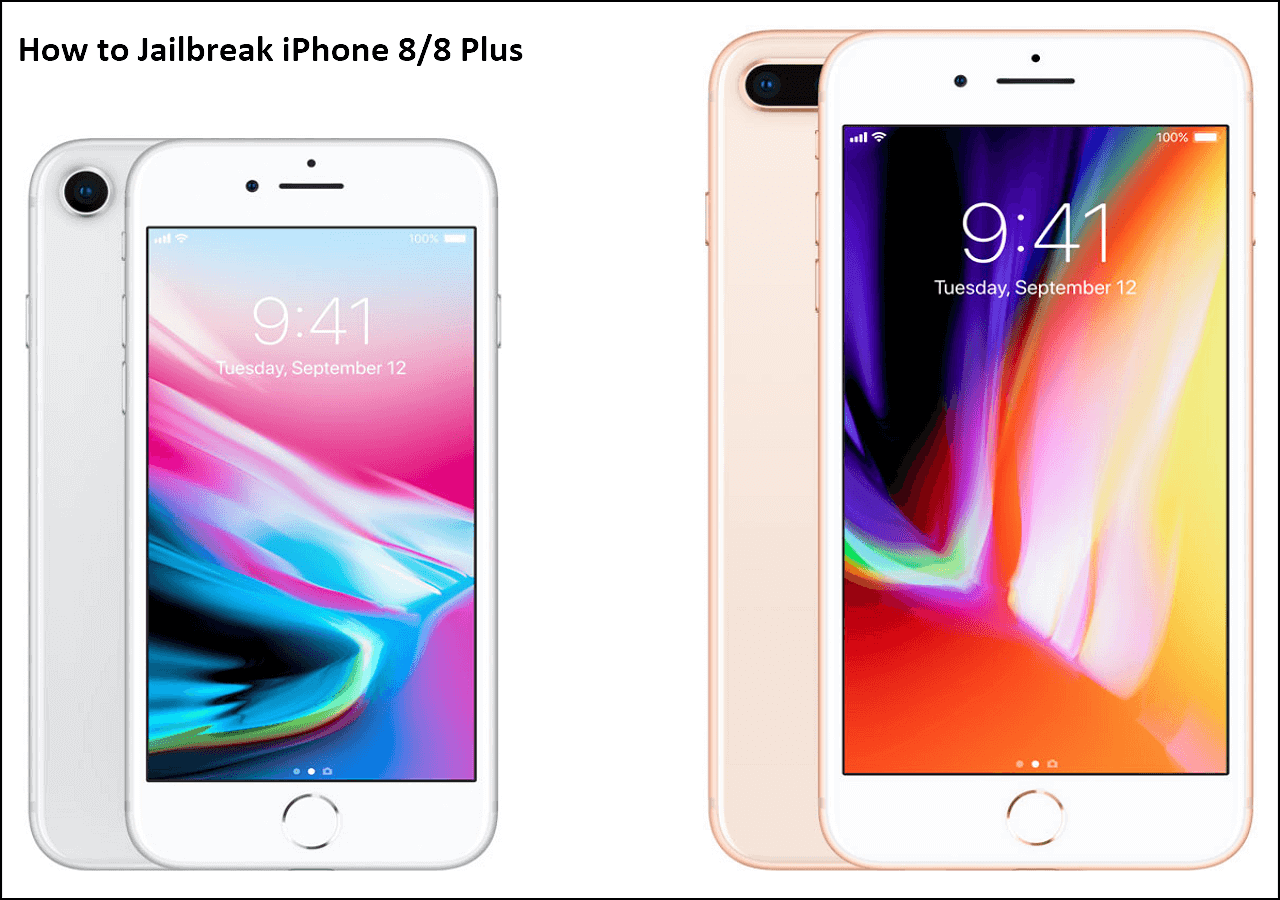
iPhone 8, iPhone 8 Plus, iPhone X |
| A12+ |
Devices running iOS 15 to iOS 18 |
The latest version added support for A12+ chip devices running iOS 15 to iOS 18. This support is limited to bypassing the Hello Screen on devices that have already been bypassed using other tools earlier. It is not capable of performing a full, standalone iCloud activation lock bypass on A12+ devices from scratch.
Cost & Safety Concerns Regarding Broque Ramdisk Pro
Is It Free?
Broque Ramdisk Pro is originally free to use, especially the Windows version, which can be downloaded and run without payment. However, some countries are restricted due to misuse, such as reselling the software or engaging in shady activities. Users from these banned regions must pay a fee to access the software. The Mac version of the tool charges a small one-time fee of around $2.
Note: The developer released Broque Ramdisk Pro v3.2 and subsequent releases as a paid tool.
Sadly, after 2 years, Broque Ramdisk is no longer a free-to-use tool but a paid tool.
r/setupapp
Is It Safe?
Broque Ramdisk Pro does have some user trust for its capabilities, but is also met with caution and warnings in the Reddit community due to security, reliability, and stability concerns. It utilizes jailbreaking and device exploits, which can result in the device freezing, becoming stuck in recovery mode, or losing cellular service. Sometimes it may cause your phone to glitch or have trouble signing into Apple Accounts afterward.
However, its most recent revision is detected by MANY vendors on VirusTotal as malicious. More than before. It's possible they are false positives, but it's hard to know. With the number of detections, use it with caution.
r/setupapp
Furthermore, the tool is not officially supported, and there's no customer service or regular updates. This means if something goes wrong, fixing it can be difficult. It is not recommended for casual or inexperienced users. If you choose to use it, proceed carefully and be aware of the potential issues and limited support.
Broque Ramdisk Pro Latest Version Free Download & How to Use
Before downloading and using Broque Ramdisk Pro, please note: This tool is intended for use only on devices you own or have permission to unlock. It can cause device issues, such as freezing or data loss. Use it carefully and only download from trusted sources. The software is unofficial and unsupported by Apple, so any issues are at your own risk. Always back up your data before using it.
Where to Download
Broque Ramdisk Pro does not have an official dedicated website for download. Newer versions, such as v2.8.4 and later, can be downloaded from third-party sites in ZIP format. For example:
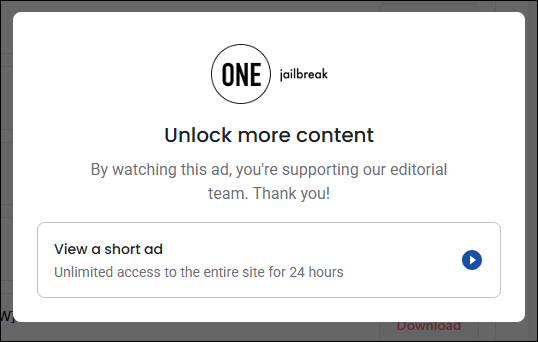
- https://onejailbreak.com/blog/broque-ramdisk-pro/download
(You have to watch an ad for 30 seconds before you download the file.)
![broque-ramdisk-pro-download-watch-ad.png]()
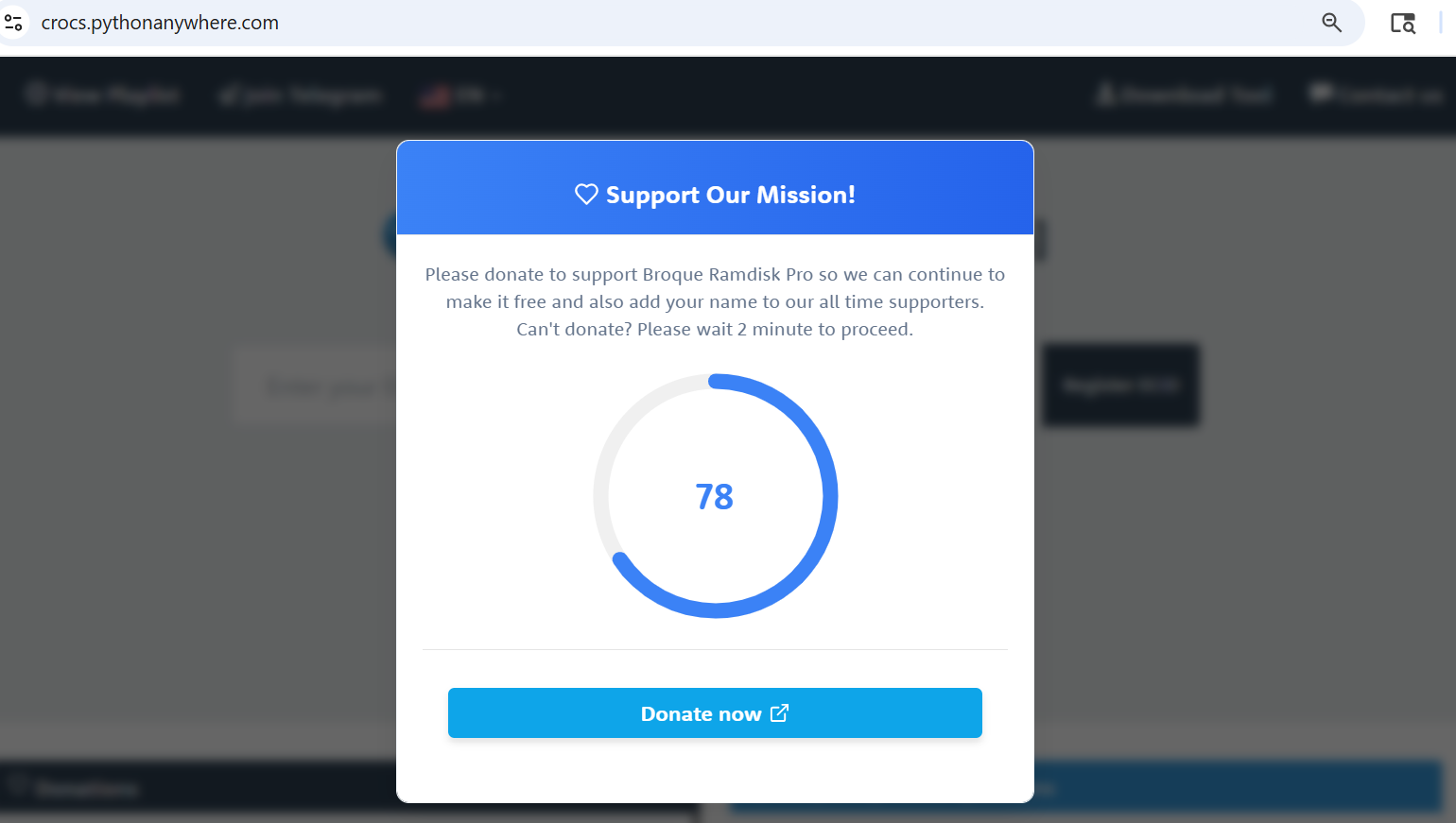
- https://crocs.pythonanywhere.com/
(Once you open the websites, it pops up a donation window. If you can't donate, you have to wait for 2 minutes until you can access the file.)
![broque-ramdisk-pro-wait-2-minute.png]()
The above sites may contain ads and pop-ups. Users should download the software from trusted sites.
After you download the ZIP file, extract it. Open the extracted folder and double-click on the Broque Ramdisk PRO.exe file. Follow the installation wizard's instructions to complete the setup.
How to Use Broque Ramdisk Pro for Bypassing iCloud Lock
Here is a detailed guide on using Broque Ramdisk Pro to bypass iCloud Activation lock on supported iPhones or iPads. Again, the step guide is intended for legitimate use only. You can only use the iCloud bypassing tool on your own locked device due to a forgotten Apple ID. Always proceed at your own risk and back up your data if possible.
Step 1. Connect your iPhone or iPad to the computer using a USB cable. Put your iOS device into DFU mode.
Step 2. Copy your device's ECID and register it through the recommended official method, like a Telegram bot, as required by the tool.
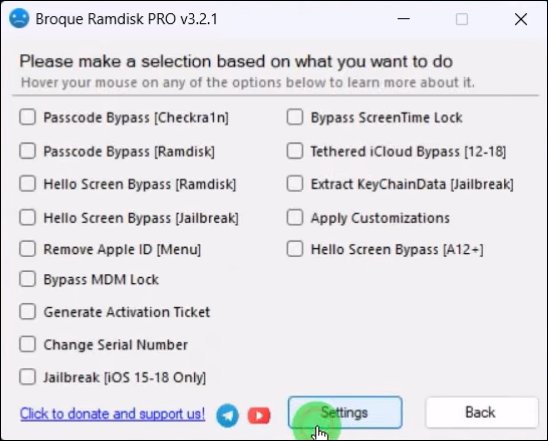
Step 3. In the tool, navigate to Options and select "Hello Screen Bypass." Then, click Start. Select the correct boot file and boot the device into ramdisk mode.
![broque-ramdisk-pro-version32.png]()
Step 4. Follow the prompts to change your device's serial number using additional software, such as 3uTools.
Step 5. Use Broque Ramdisk Pro to create the activation ticket needed to bypass iCloud lock.
Step 6. Reboot the device into ramdisk mode again through the tool and select "Bypass iCloud" to start the bypass process.
Step 7. After finishing, your device should reach the home screen without the activation lock. Note that some functions, like cellular service, may be disabled.
Broque Ramdisk Pro Review & User Experience
Broque Ramdisk Pro is a popular but controversial tool for bypassing iCloud Activation Lock on iPhones and iPads. User experiences reveal a mix of positives and drawbacks.
Pros:
- It can successfully bypass iCloud Activation Lock and other security restrictions on many iOS devices.
- Supports newer iOS versions and a variety of iPhone/iPad models.
- Available free for personal use from some third-party sources.
- The interface is relatively simple compared to more technical methods.
Cons:
- The tool often suffers from bugs, including failure to detect devices, crashes, freezes, and cryptic error messages.
- It requires manual steps such as registering device ECIDs via Telegram and using additional software for serial number changes, which complicates usage.
- Cellular functions, iMessage, App Store access, and iCloud services typically do not work after bypassing.
- It can cause device instability, including boot loops, recovery mode traps, and an inability to restore backups.
- No official download source means risk of downloading unsafe or incomplete versions.
Users Feedback:
- Successfully bypassed, but cannot log into the iCloud account.
![broque-ramdisk-pro-reddit-review-1.png]()
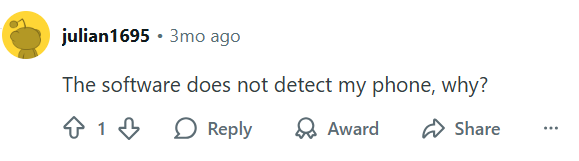
- The software has a problem recognizing devices.
![broque-ramdisk-pro-reddit-review-2.png]()
- The software has been flagged as a virus.
![broque-ramdisk-pro-reddit-review-3.png]()
Not Working? Complicated? Try a User-friendly Alternative
While Broque Ramdisk Pro offers a powerful bypass capability, it is better suited for experienced users who understand the technical challenges and risks involved. Beginners should seek professional assistance or explore more user-friendly alternatives. EaseUS MobiUnlock is one such alternative that stands out for its simplicity, reliability, and support.
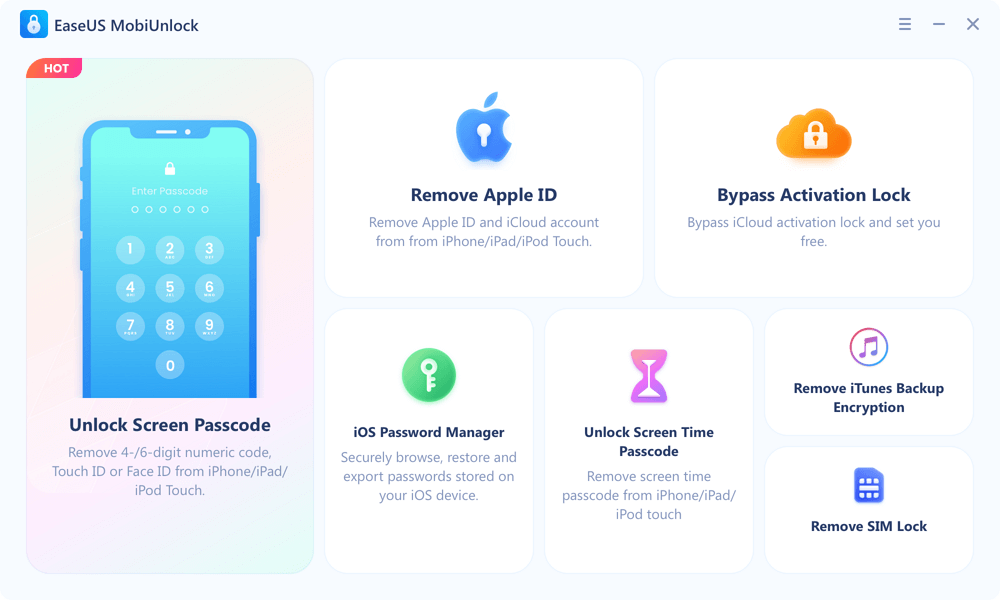
EaseUS MobiUnlock offers a straightforward, guided unlocking process for removing screen passcodes, Apple IDs, and iCloud activation locks. Additionally, it offers dedicated customer support and a more intuitive user interface, making it ideal for users who want to unlock their iPhone or iPad effectively.
Main Features of EaseUS MobiUnlock:
- Unlock various screen locks, including passcodes, Touch ID, and Face ID.
- Remove the Apple account from an activated iPhone/iPad without the password.
- Remove Screen Time restrictions and iTunes backup encryption passwords.
- Support a wide range of iPhone models and iOS versions.
Step 1. Launch EaseUS MobiUnlock on your computer and connect your iPhone or iPad to the PC. Click "Bypass Activation Lock." Check out the "Term of Use" and click "I Agree" to proceed if you agree with all content.
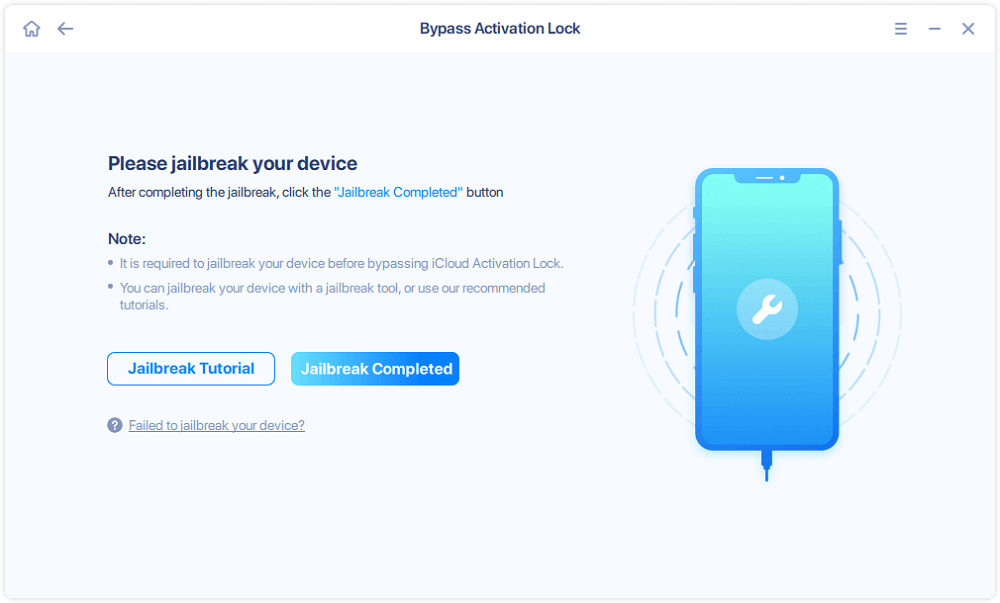
Step 2. Click "Start" to move to the next step - jailbreack your iPhone or iPad. Click "Jailbreak Tutorial" to see how to jailbreak your Apple device. (Note that if your iPhone is running iOS 15 - iOS 16.4, the EaseUS tool will jailbreak the device automatically.) If you already jailbroke your device, click "Jailbreak Completed" to proceed.
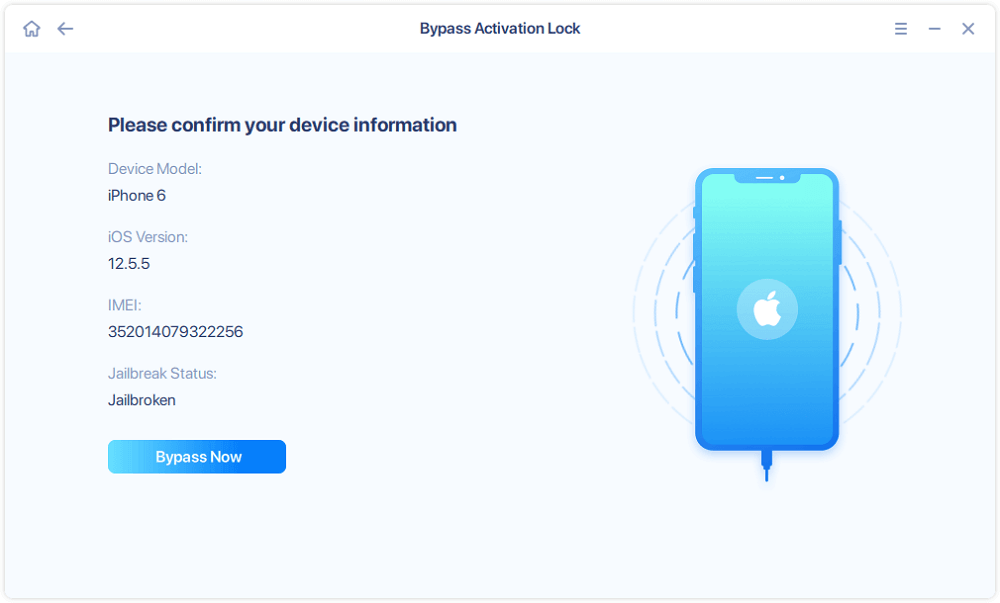
Step 3. Click "Bypass Now," and EaseUS MobiUnlock will start removing Activation Lock from your iPhone or iPad.
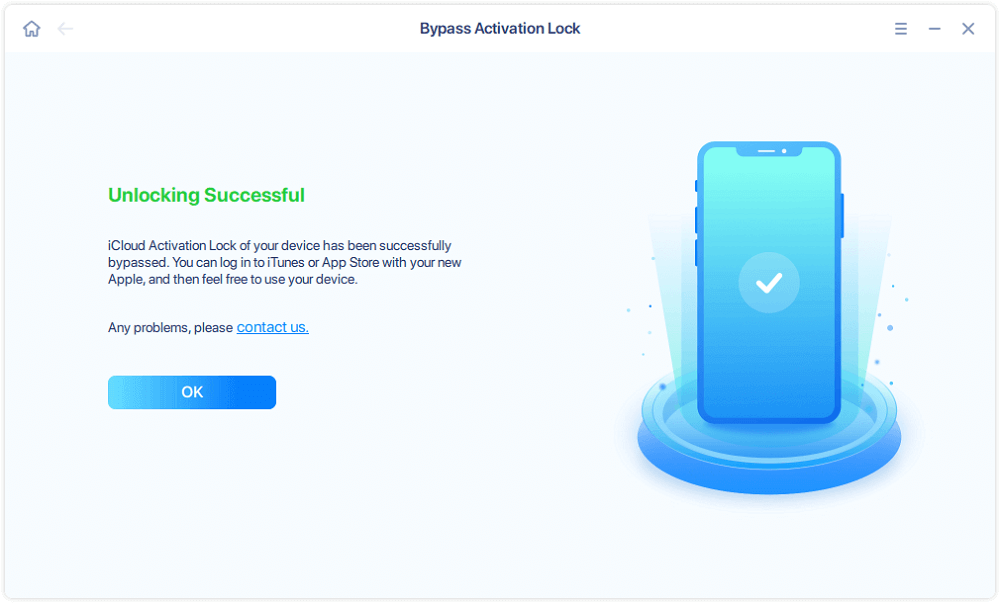
Step 4. Wait for the process to complete. After the process, click "OK" to confirm, and you can set up your iPhone or iPad without obstacles.
Common Broque Ramdisk Pro Errors & Quick Fixes
No COM Port Selected or Stuck on Connecting to iDevice
- Cause: The Tool can't detect your device's USB port due to driver or connection issues
- Fix: Use the "Fix Driver" button in Broque, reinstall iTunes and Apple drivers, and run as Administrator. Try different USB ports/cables.
Failed to Mount Filesystems or Freezing at Mount Step
- Cause: Device not in proper DFU mode, USB driver issues, or corrupted files
- Fix: Confirm device is in DFU mode, update USB drivers, use a different cable/port, reboot PC.
Device Detection or Communication Failures
- Cause: Poor USB connection, outdated or missing drivers, device not in the required boot mode
- Fix: Verify USB connection, check device mode (DFU/recovery), update or reinstall drivers.
Activation File Generation Errors
- Cause: Invalid serial number or missing files during bypass
- Fix: Change the serial number in the tool, ensure complete software installation, and update to the latest version.
Error 403 in Broque Ramdisk Pro
- Cause: The tool fails to download the necessary bootfile from the server due to network restrictions, firewall blocks, or server-side issues.
- Fix: Manually download the bootfile from an official or trusted source, place it in the Broque Ramdisk "Boot" folder, run Broque as Administrator, ensure a stable internet connection, and select the correct bootfile in the tool before retrying.
Conclusion
In conclusion, Broque Ramdisk Pro is a tool capable of bypassing iCloud activation locks; however, it presents technical challenges, common errors, and potential risks. For novices or those seeking a safer, more user-friendly option, alternatives like EaseUS MobiUnlock offer simpler interfaces, better support, and more consistent results.
FAQs
Is it legal to bypass iCloud Activation Lock?
It is legal only if you are the rightful owner of the device or have the owner's explicit permission. Bypassing without authorization may violate laws and Apple's terms of service.
What are the risks of bypassing iCloud Activation Lock?
Risks include device instability, loss of cellular functions, voided warranty, potential malware from unofficial tools, and legal consequences if used improperly.
What is the recommended way to remove an iCloud lock legally?
Contact Apple Support with proof of purchase or ask the original owner to remove the device from their iCloud account remotely.






 NEW
NEW HOT
HOT
